之前做过一个访微信头像的功能,现在贴出代码
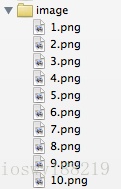
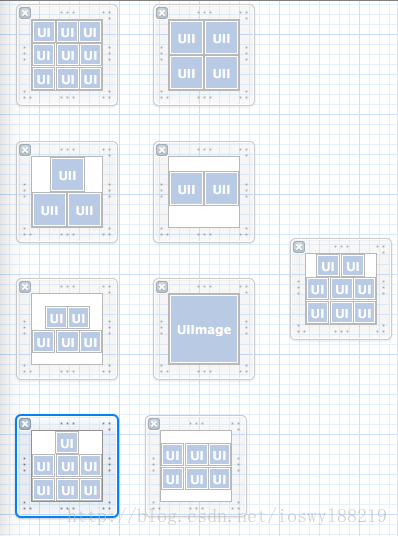
先在工程里放入对应的头像,然后装入一个数组传入方法里,接着画好xib对应的9宫格头像,里面用到了2个库,大家可以去网上下载

- (void)viewDidLoad{ [super viewDidLoad]; //需要传入一个数组,arr.count对应头像数量,最多显示9个 NSMutableArray *array = [[NSMutableArray alloc]initWithCapacity:0]; [array addObject:@"1"]; [array addObject:@"2"]; [array addObject:@"3"]; [array addObject:@"5"]; [array addObject:@"9"]; //加方法调用群组头像功能 SudokuRoundView *view = [SudokuRoundView createSudokuRoundViewWithFrame:CGRectMake(20, 110, 70, 70) WithXIBSubImageViewArray:array WithMessageNotRead:0]; [self.view addSubview:view];}
/** 9宫格xib加方法 * frame : 图片范围 * array : 图像数据数组 * message : 未读消息数字 */+ (SudokuRoundView *)createSudokuRoundViewWithFrame:(CGRect)frame WithXIBSubImageViewArray:(NSMutableArray *)array WithMessageNotRead:(int)messgae{ int maxNum = 0; //判断最多9个头像 if (array.count > 9) { maxNum = 9; }else{ maxNum = array.count; } //加载对应的xib SudokuRoundView *sudokuRoundView = [self initWithSudokuRoundView:maxNum -1]; if (array.count) { [sudokuRoundView initWithTag:maxNum *100 WithFrame:frame WithArray:array WithMessageNotRead:messgae]; } return sudokuRoundView;}
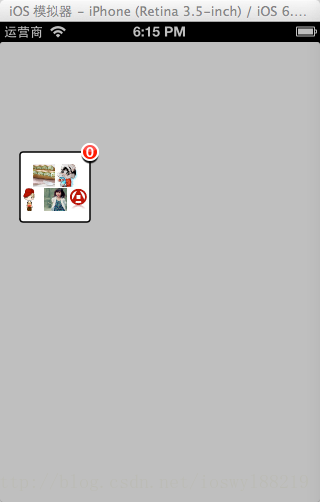
//返回对应实例+ (SudokuRoundView *)initWithSudokuRoundView:(int)object{ return [[[NSBundle mainBundle]loadNibNamed:@"SudokuRoundView" owner:self options:nil]objectAtIndex:object];}//加载图片- (void)initWithTag:(int)tag WithFrame:(CGRect)frame WithArray:(NSMutableArray *)array WithMessageNotRead:(int)messgae{ //初始化数据 [self makeView:frame]; for (NSString *imageStr in array) { static int i = 0; UIImageView *imageView = (UIImageView *)[self viewWithTag:tag+i]; //SDWebImage的方法 [imageView setImageWithURL:nil placeholderImage:[UIImage imageNamed:[NSString stringWithFormat:@"%@",imageStr]]]; //badge图标 JSBadgeView *badgeView = [[JSBadgeView alloc] initWithParentView:self alignment:JSBadgeViewAlignmentTopRight]; badgeView.badgeText = [NSString stringWithFormat:@"%d", messgae]; i ++; //超过9次放弃加载 if (i>=9) { break; } }}这样,就可以做出想要的效果
TAG标签:
微信小程序qq群头像
http://www.xiaochengxub.com/read-100136.html









