
小程序开发API之地图wx.createMapContext及MapContext实例
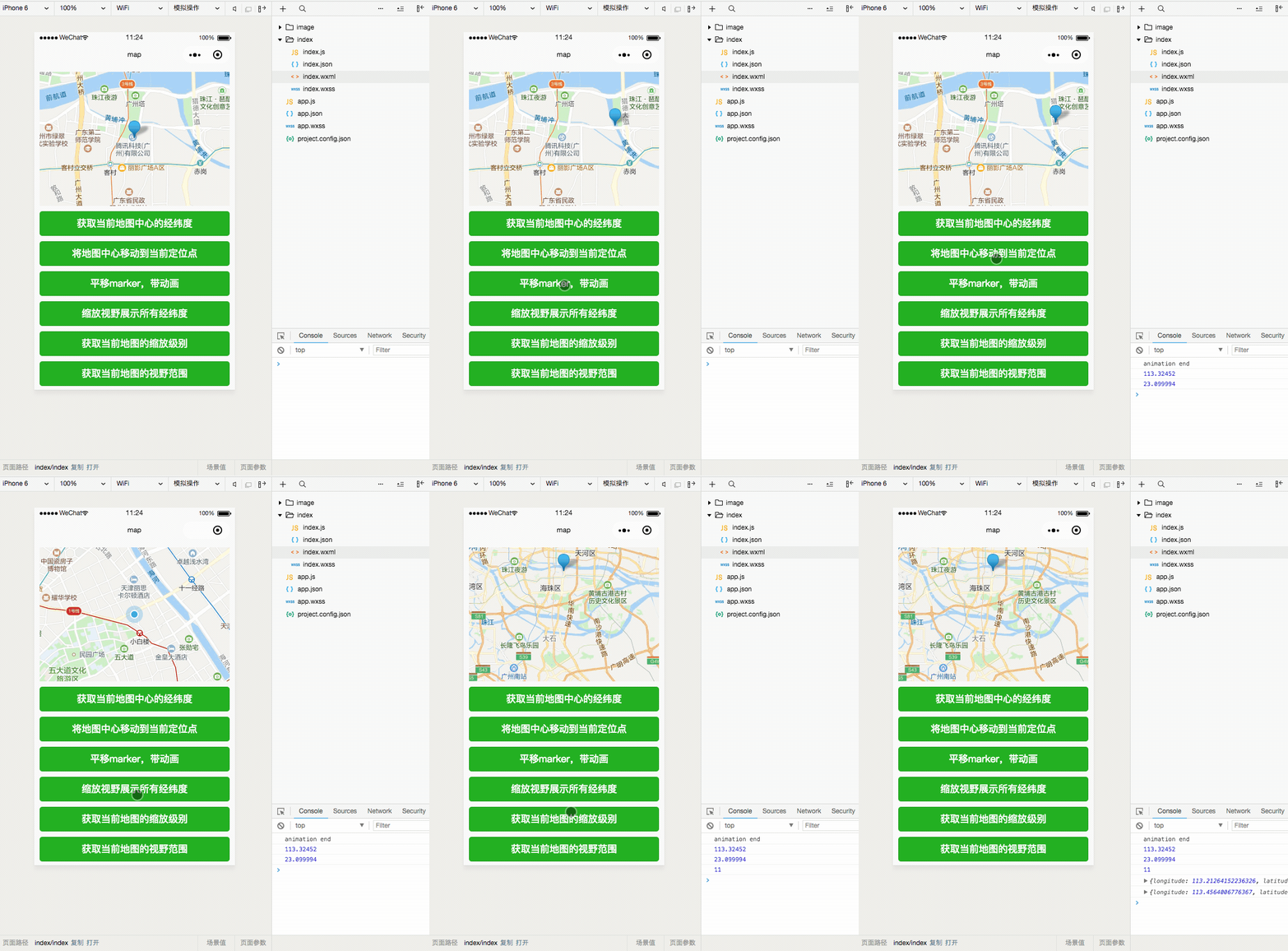
效果展示
wx.createMapContext(string mapId, Object this)
创建 map 上下文 MapContext 对象。
参数 string mapId
组件的 id
Object this
在自定义组件下,当前组件实例的this,以操作组件内 组件
返回值
MapContext
MapContext
MapContext 实例,可通过 wx.createMapContext 获取。
mapContext 通过 id 跟一个 组件绑定,操作对应的 组件。
方法
MapContext.getCenterLocation()
获取当前地图中心的经纬度。返回的是 gcj02 坐标系,可以用于 wx.openLocation()
getCenterLocation参数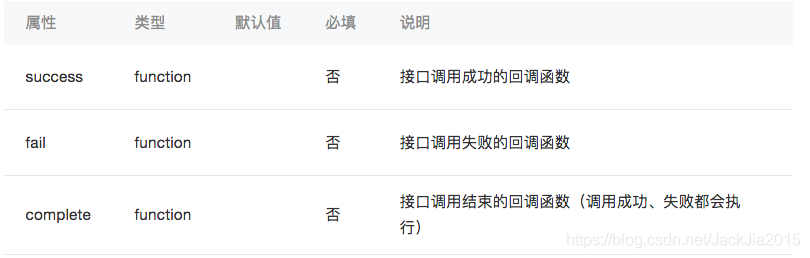
object.success 回调函数参数Object res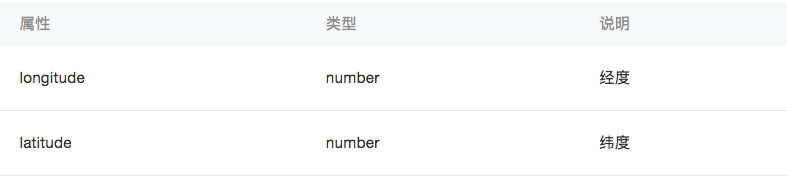
MapContext.moveToLocation()
将地图中心移动到当前定位点。需要配合map组件的show-location使用
MapContext.translateMarker(Object object)
平移marker,带动画
translateMarker参数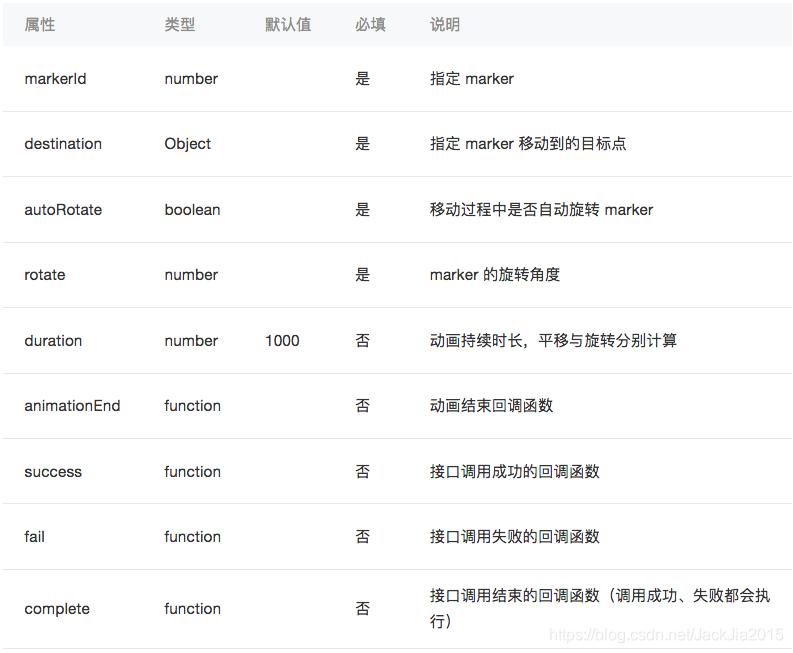
object.destination 的结构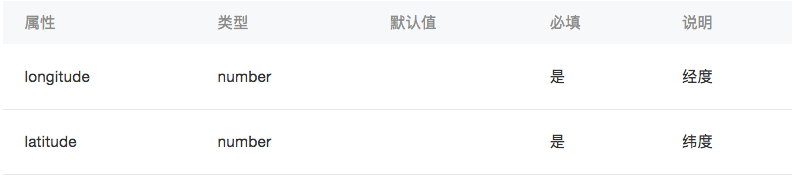
MapContext.includePoints(Object object)
缩放视野展示所有经纬度
includePoints参数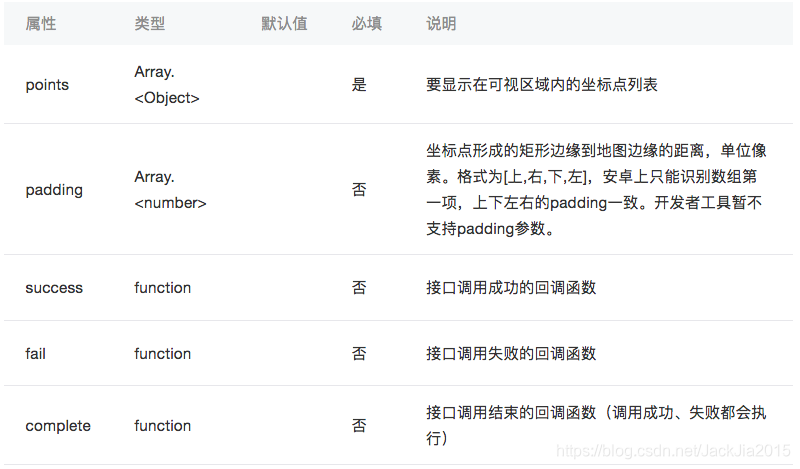
object.points 的结构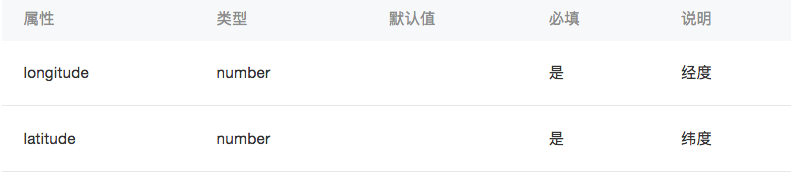
MapContext.getRegion()
获取当前地图的视野范围
getRegion参数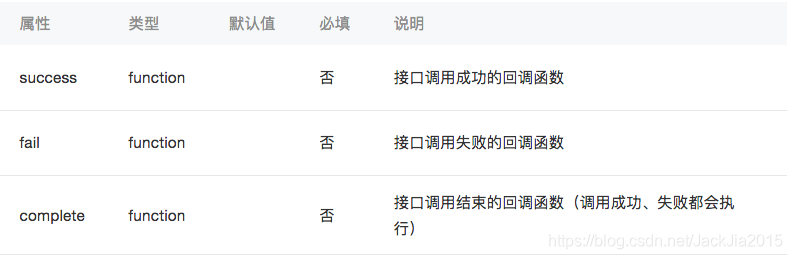
object.success 回调函数参数Object res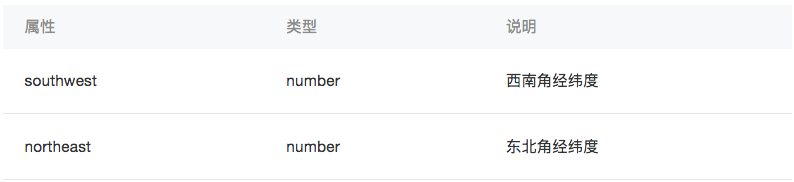
MapContext.getScale()
获取当前地图的缩放级别
getScale参数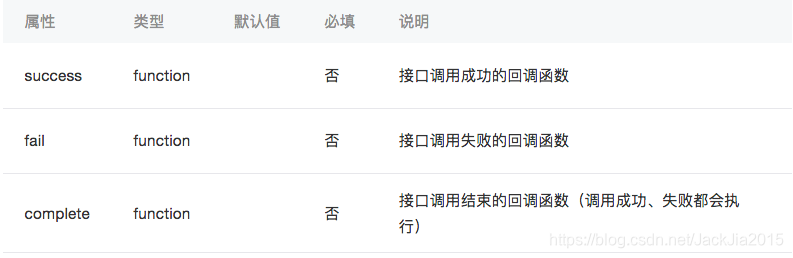
object.success 回调函数参数Object res
示例:
效果展示
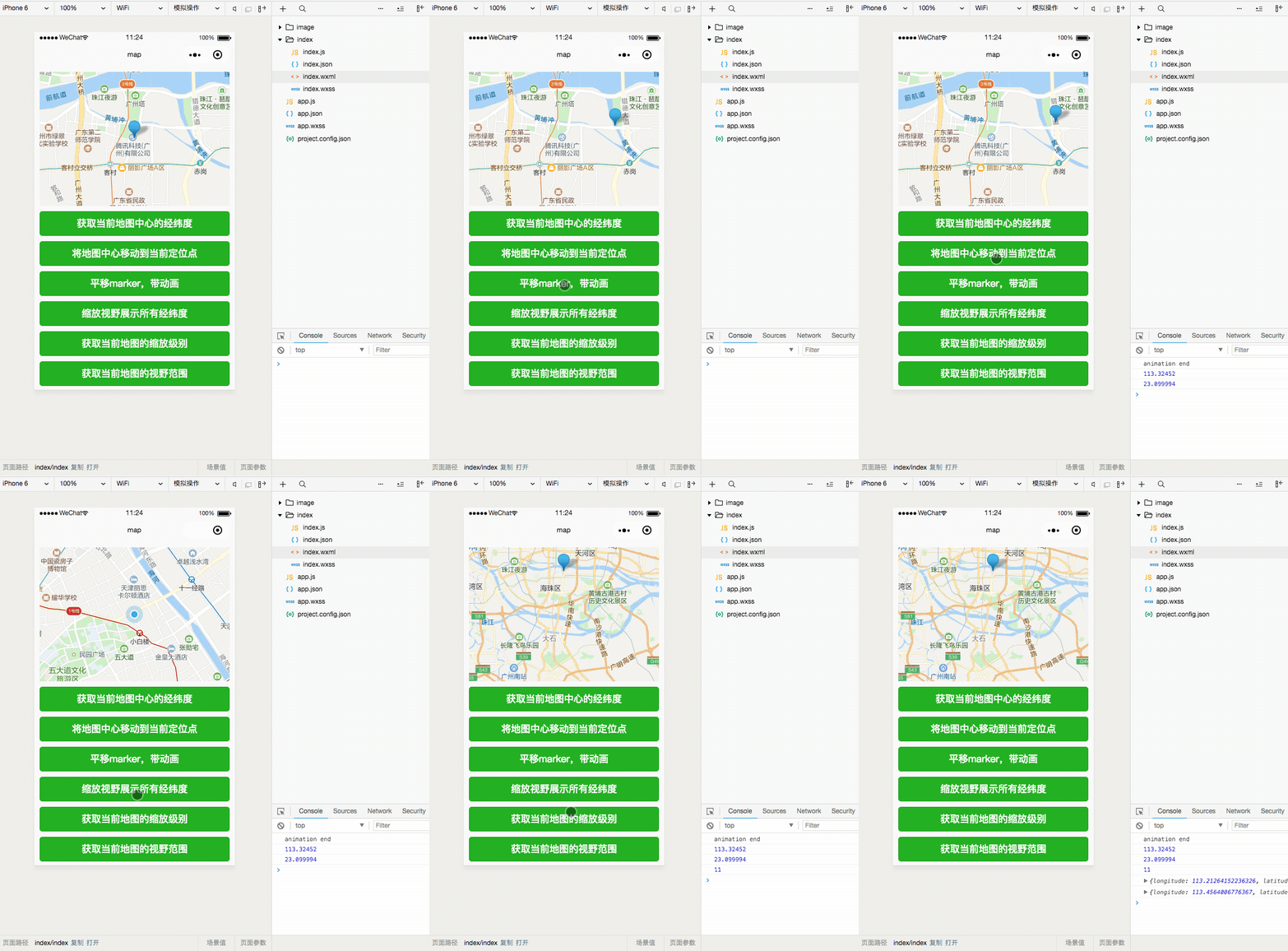
代码
index.wxml
index.wxss
map{ margin: 20rpx;}button{ margin: 20rpx;}index.js
Page({ data: { latitude: 23.099994, longitude: 113.324520, markers: [{ id: 1, latitude: 23.099994, longitude: 113.324520, name: '腾讯' }], }, onReady: function (e) { //创建 map 上下文 MapContext 对象。 this.mapCtx = wx.createMapContext('myMap') }, //获取当前地图中心的经纬度 getCenterLocation: function () { this.mapCtx.getCenterLocation({ success: function(res){ console.log(res.longitude) console.log(res.latitude) } }) }, //将地图中心移动到当前定位点 moveToLocation: function () { this.mapCtx.moveToLocation() }, //平移marker,带动画 translateMarker: function() { this.mapCtx.translateMarker({ markerId: 1, autoRotate: true, duration: 1000, destination: { latitude:23.10229, longitude:113.3345211, }, animationEnd() { console.log('animation end') } }) }, //缩放视野展示所有经纬度 includePoints: function() { this.mapCtx.includePoints({ padding: [10], points: [{ latitude:23.10229, longitude:113.3345211, }, { latitude:23.00229, longitude:113.3345211, }] }) }, //获取当前地图的缩放级别 scaleClick: function(){ this.mapCtx.getScale({ success: function (res) { console.log(res.scale) } }) }, //获取当前地图的视野范围 getRegionClick: function () { this.mapCtx.getRegion({ success: function (res) { console.log(res.southwest) console.log(res.northeast) } }) }})声明:本站所有文章资源内容,如无特殊说明或标注,均为采集网络资源。如若本站内容侵犯了原著者的合法权益,可联系本站删除。








