微信企业付款实现详细流程Demo
大家好,我是 梦辛工作室的灵,下面来讲一下微信企业付款实现的流程
1.准备数据
微信企业付款需要 准备 微信支付API秘钥、支付证书;下面是获取流程:
先登录微信支付:https://pay.weixin.qq.com/index.php/core/home/login?return_url=%2F
需要先开通企业付款至零钱包和运营账户,因为付款的时候是从运营账户中 扣除金额的
主要注意的时,请保证您的商户号的结算方式 是T+1类型的,T+7类型的是没有这个功能的
点击产品中心
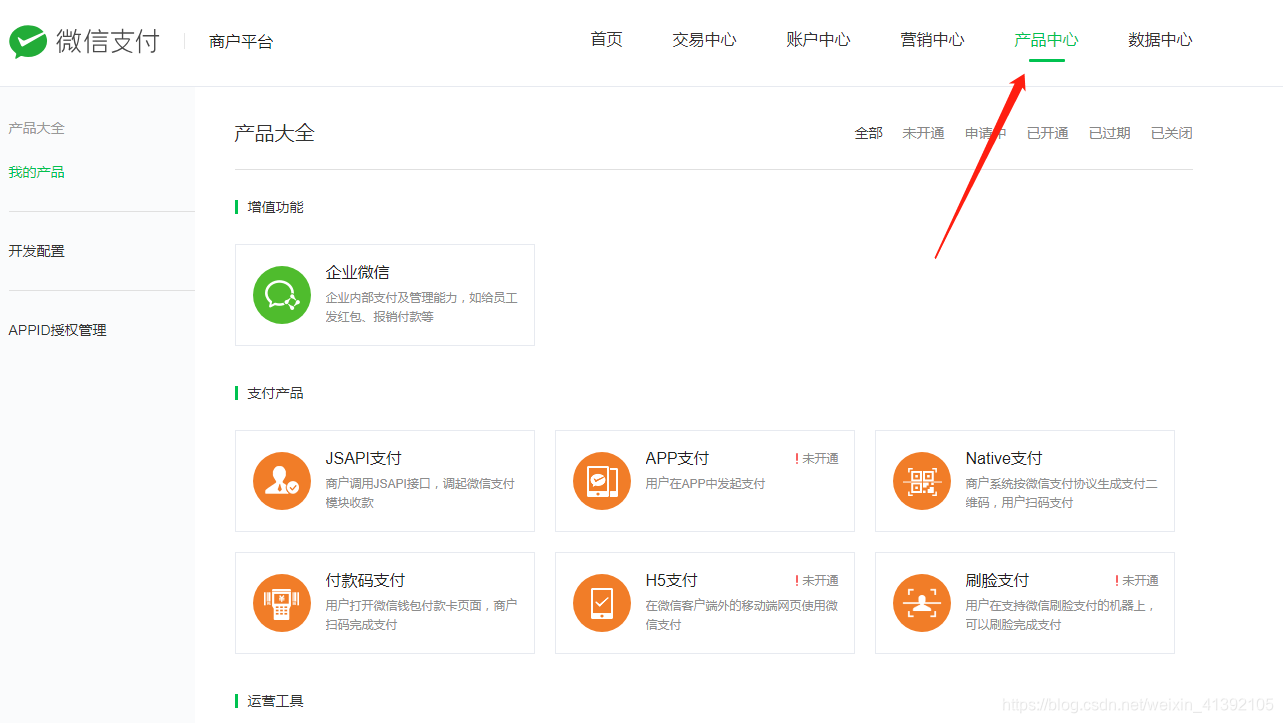
开通企业付款至零钱包和运营账户
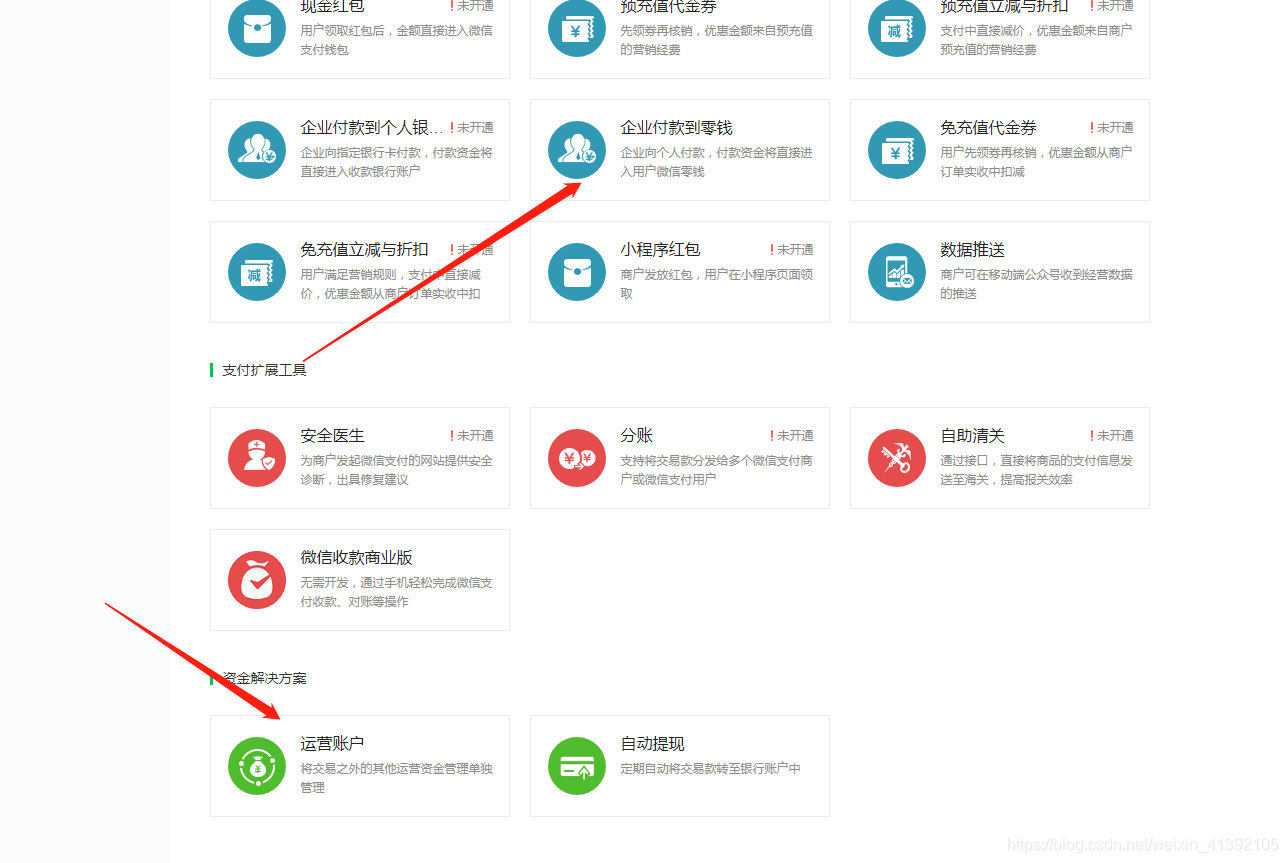
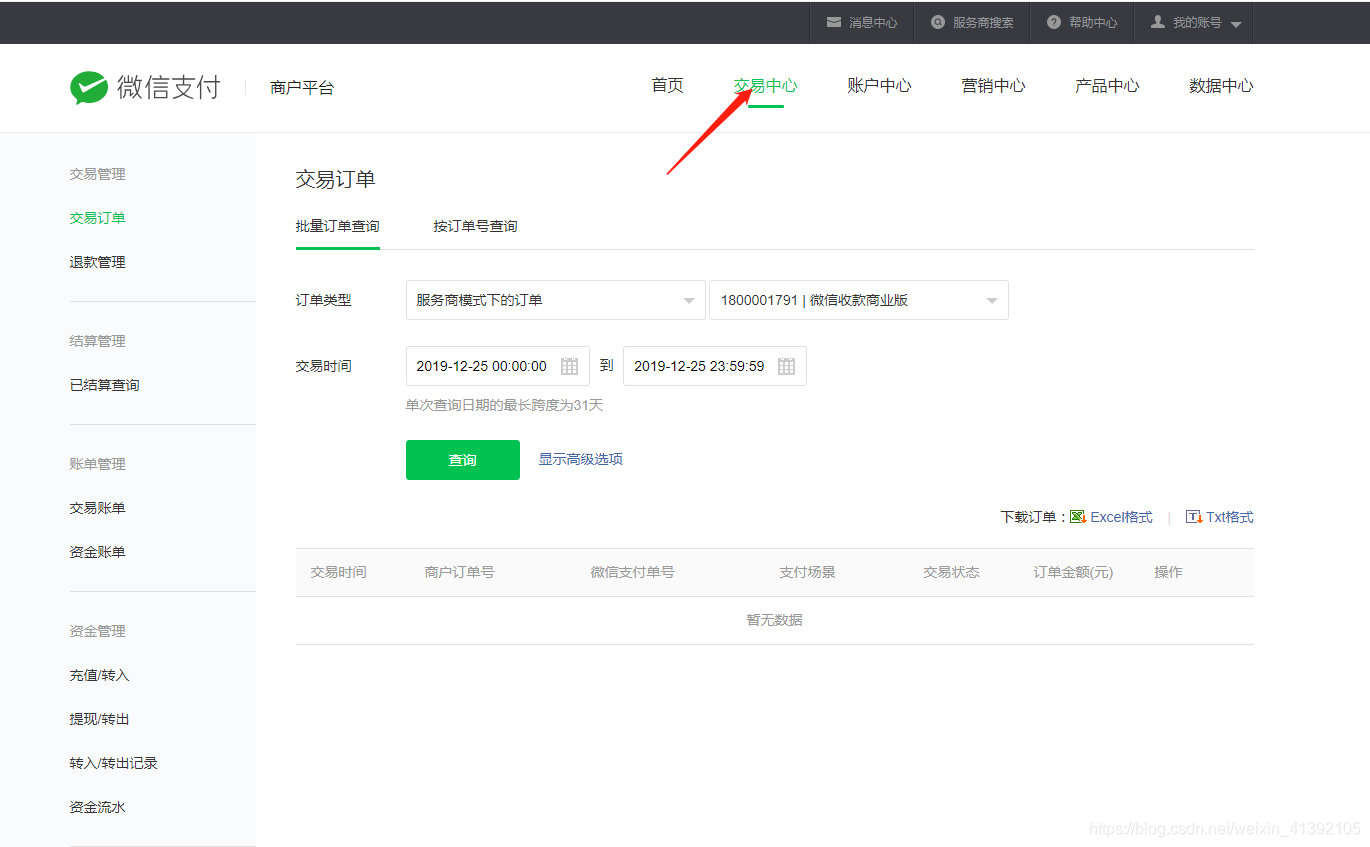
然后从基本户移一些资金到运营账户作为测试用的金额,流程如下:
点击交易中心:
点击资金管理的充值/转入
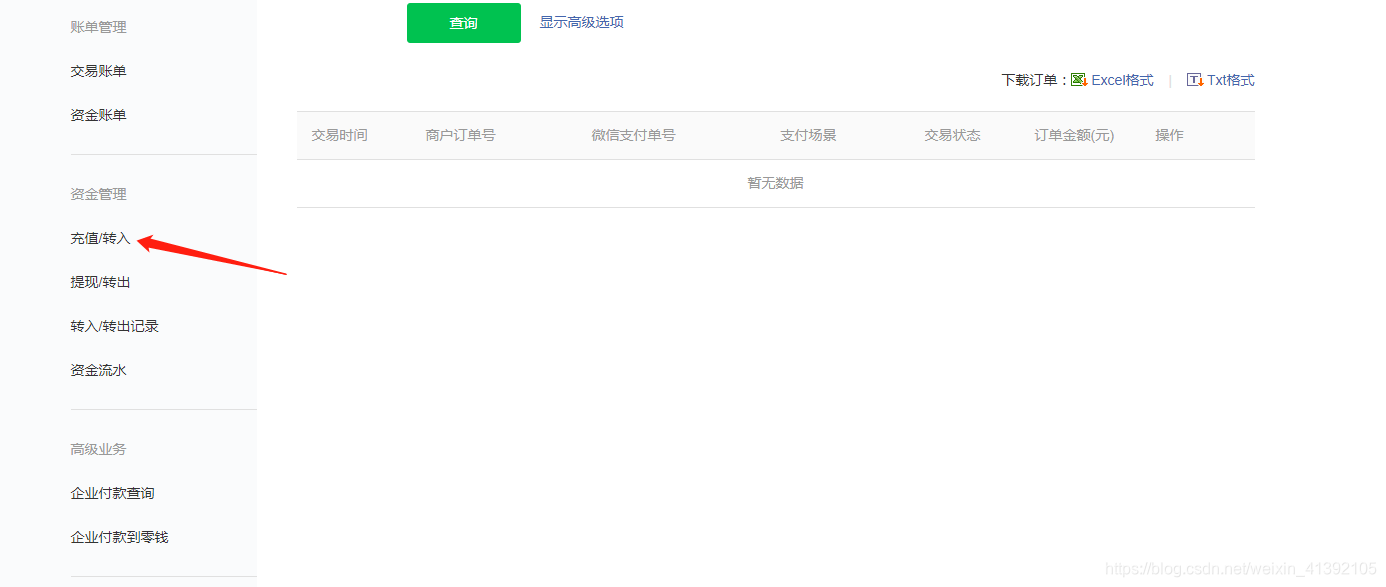
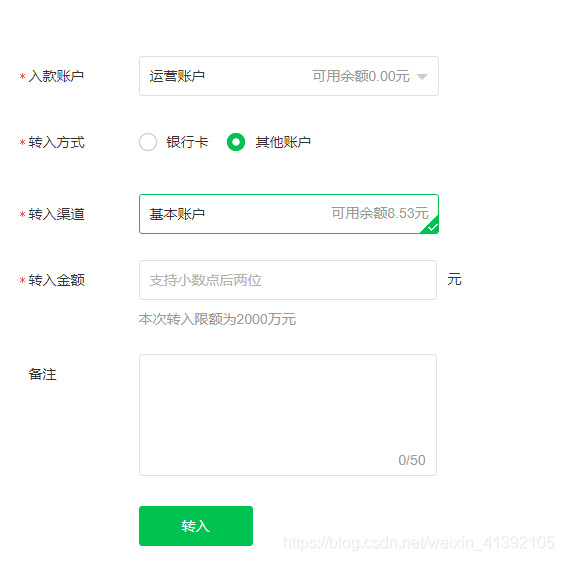
转入成功后,运营账户里面就有钱了,接下来 获取证书和设置API秘钥
点击账户中心点击API安全
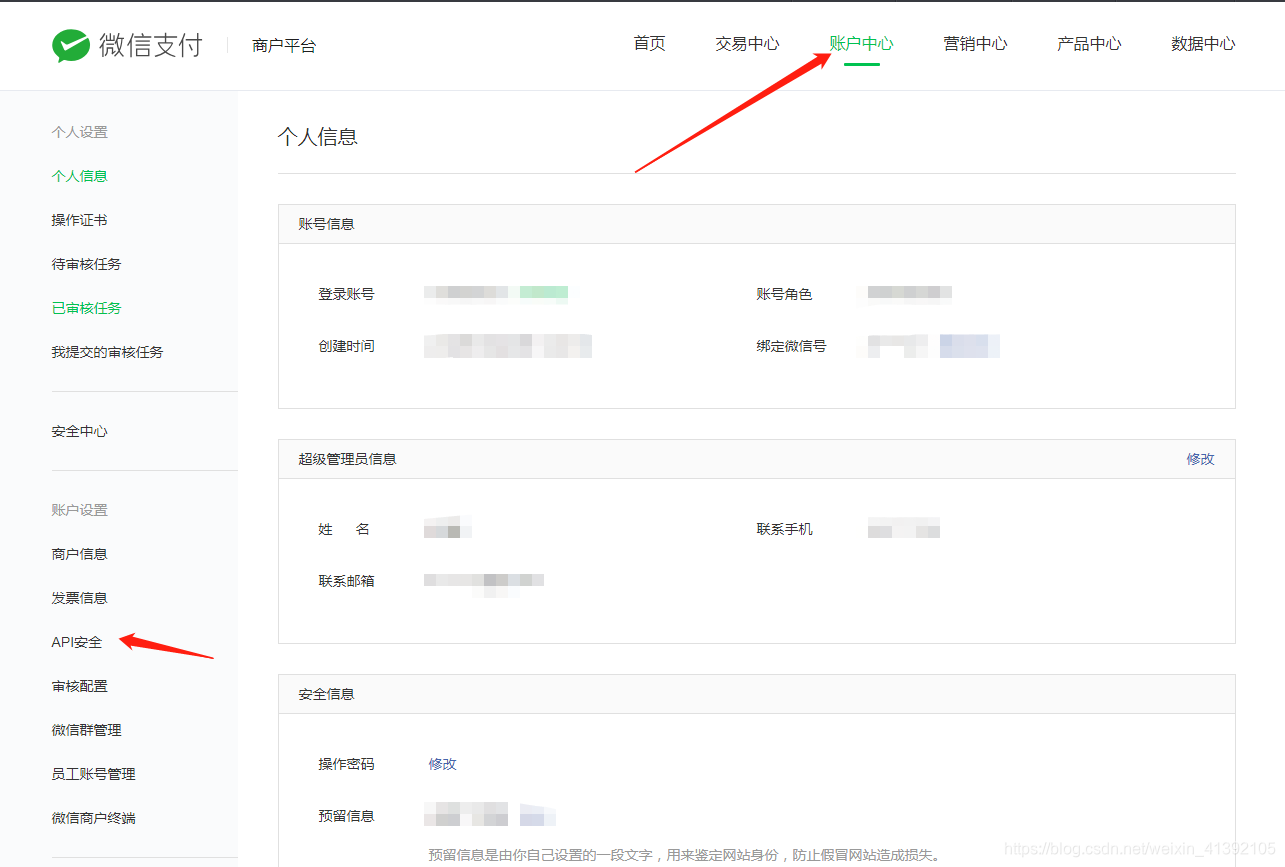
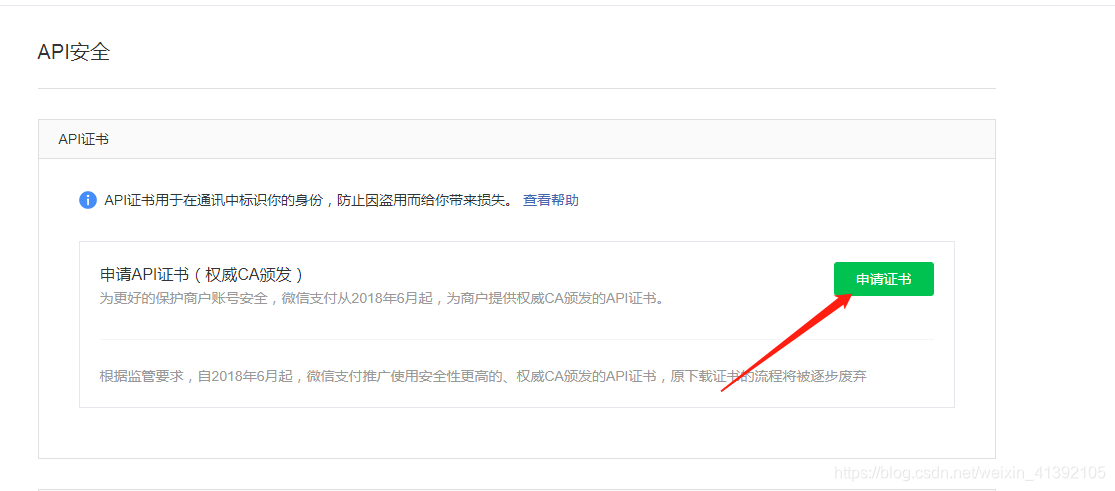
点击申请证书,然后下载拿到证书
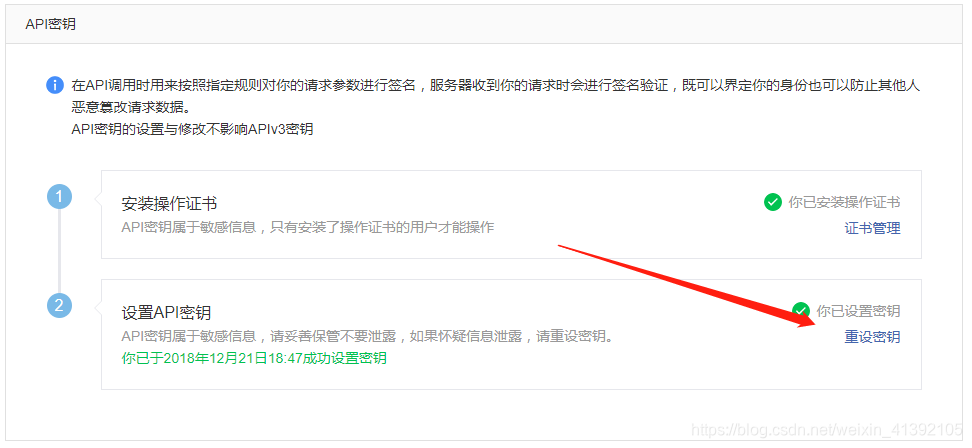
设置API秘钥
2.开始开发
和微信支付一样,需要提供以下参数:
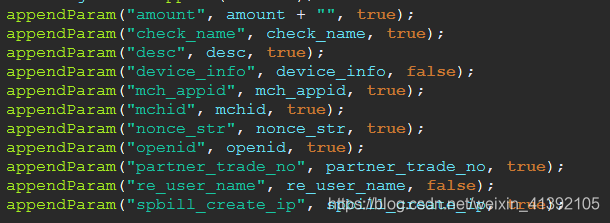
第三个参数为 true 表示必要参数,false 表示不必要参数
然后按照字母顺序排序拼接为以下格式:
amount
=200&check_name
=NO_CHECK
&desc
=付款备注
&mch_appid
=被付款人使用的小程序appid或公众号appid
&mchid
=您的商户号
&nonce_str
=kywaJ6iTYIA5AC7MzwzW
&openid
=小程序或公众号对应的openid
&partner_trade_no
=1577245853344583aCpC9
&spbill_create_ip
=本机ip
&key
=API秘钥
然后 进行md5加密,这个就是 sign
然后在拼接成xml格式,如下:
<xml
><amount
><![CDATA[200]]></amount
><check_name
><![CDATA[NO_CHECK]]></check_name
><desc
><![CDATA[付款备注
]]></desc
><mch_appid
><![CDATA[被付款人使用的小程序appid或公众号appid
]]></mch_appid
><mchid
><![CDATA[您的商户号
]]></mchid
><nonce_str
><![CDATA[s4aMch7ijEK4GF0hpWTE
]]></nonce_str
><openid
><![CDATA[小程序或公众号对应的openid
]]></openid
><partner_trade_no
><![CDATA[15772459622789X9BMf1c
]]></partner_trade_no
><spbill_create_ip
><![CDATA[本机ip
]]></spbill_create_ip
><sign
><![CDATA[7779de52642e5564f1ae0d04adbcde99
]]></sign
></xml
>然后post到 微信指定的接口:(https://api.mch.weixin.qq.com/mmpaymkttransfers/promotion/transfers),
这里的post请求 需要带证书请求,以下是实现示例:
public static String
doPostDataWithCert(String url
, String data
, String mch_id
, String filPath
) throws Exception
{KeyStore keyStore
= KeyStore
.getInstance("PKCS12");FileInputStream instream
= new FileInputStream(new File(filPath
));try {keyStore
.load(instream
, mch_id
.toCharArray());} finally {instream
.close();}SSLContext sslcontext
= SSLContexts
.custom().loadKeyMaterial(keyStore
, mch_id
.toCharArray()).build();SSLConnectionSocketFactory sslsf
= new SSLConnectionSocketFactory(sslcontext
, new String[] { "TLSv1" }, null
,SSLConnectionSocketFactory
.BROWSER_COMPATIBLE_HOSTNAME_VERIFIER
);CloseableHttpClient httpclient
= HttpClients
.custom().setSSLSocketFactory(sslsf
).build();try {HttpPost httpost
= new HttpPost(url
); httpost
.addHeader("Connection", "keep-alive");httpost
.addHeader("Accept", "*/*");httpost
.addHeader("Content-Type", "application/x-www-form-urlencoded; charset=UTF-8");httpost
.addHeader("Host", "api.mch.weixin.qq.com");httpost
.addHeader("X-Requested-With", "XMLHttpRequest");httpost
.addHeader("Cache-Control", "max-age=0");httpost
.addHeader("User-Agent", "Mozilla/4.0 (compatible; MSIE 8.0; Windows NT 6.0) ");httpost
.setEntity(new StringEntity(data
, "UTF-8"));CloseableHttpResponse response
= httpclient
.execute(httpost
);try {HttpEntity entity
= response
.getEntity();String jsonStr
= EntityUtils
.toString(response
.getEntity(), "UTF-8");EntityUtils
.consume(entity
);return jsonStr
;} finally {response
.close();}} finally {httpclient
.close();}}若成功会返回 对应结果 的 xml 数据,里面会包含支付时间,支付订单号等,记录下来就可以了,然后楼主对这个过程进行了封装,可以更加简单的使用该功能 ,使用如下:
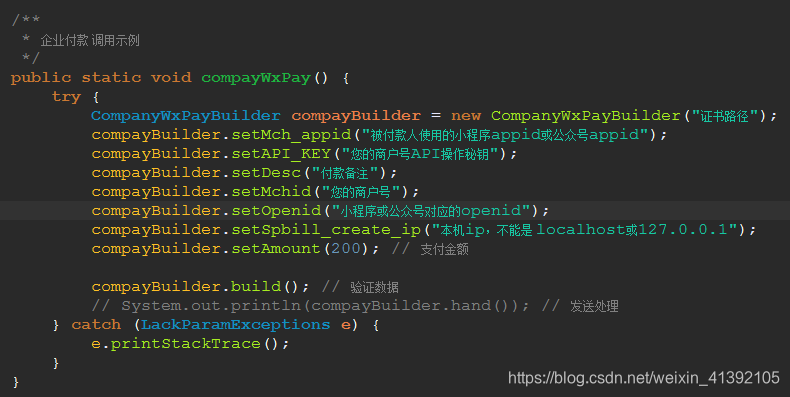
对,就这样久可以完成了,不需要在其他的内容了,很简单吧,下面是github连接
github入口
TAG标签:
小程序小程序零钱包
http://www.xiaochengxub.com/read-101705.html









