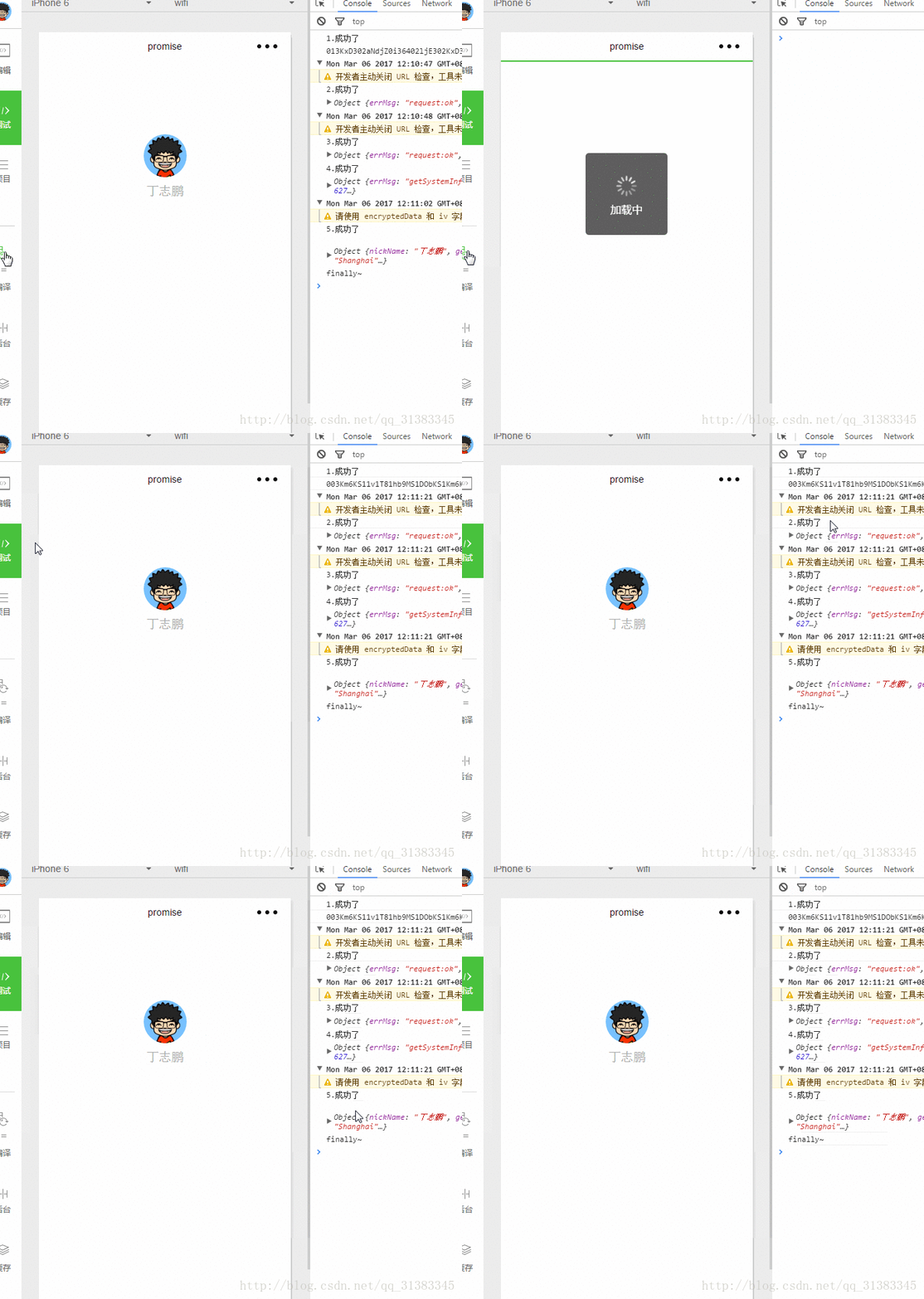
微信小程序开发两个月了.大家的项目都在不断迭代.已经不是小程序.这时候就会遇到多层回调嵌套的问题.有些目不忍视了.迫不得已引入es6-promise.在微信小程序内测的时候promise不需要手动引入,后来被微信移除了.看看效果.
promise详细的介绍我就不说了.有很多大神写过.
阮一峰 promise入门
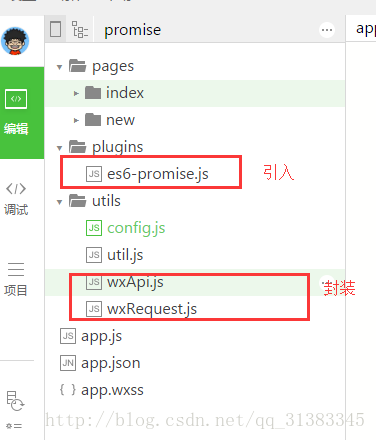
看看目录,引入es6-promise就可以用了.
1.网络请求 wxRequest.js
这里只写了get和post.
我经常会在网络请求的时候用微信原生showToast(),所以最后加了finally,方便hideToast()
var Promise =
require(
'../plugins/es6-promise.js')
function wxPromisify(fn) {
return function (obj = {}) {
return new Promise
((resolve, reject) = { obj.success = function (res) { //成功 resolve(res) } obj.fail = function (res) { //失败 reject(res) } fn(obj) }) }}//无论promise对象最后状态如何都会执行Promise.prototype.finally = function (callback) { let P = this.constructor; return this.then( value = P.resolve(callback()).then(() = value), reason = P.resolve(callback()).then(() = { throw reason }) );};/** * 微信请求get方法 * url * data 以对象的格式传入 */function getRequest(url, data) { var getRequest = wxPromisify(wx.request) return getRequest({ url: url, method: 'GET', data: data, header: { 'Content-Type': 'application/json' } })}/** * 微信请求post方法封装 * url * data 以对象的格式传入 */function postRequest(url, data) { var postRequest = wxPromisify(wx.request) return postRequest({ url: url, method: 'POST', data: data, header: { "content-type": "application/x-www-form-urlencoded" }, })}module.exports = { postRequest: postRequest, getRequest: getRequest}2.微信其他API wxApi.js
var Promise =
require(
'../plugins/es6-promise.js')
function wxPromisify(fn) { return function (obj = {}) { return new Promise((resolve, reject) = { obj.success =
function (res) { resolve(res) } obj.fail =
function (res) { reject(res) } fn(obj) }) }}Promise.prototype.
finally =
function (callback) { let P = this.constructor;
return this.then( value = P.resolve(callback()).then(() = value), reason = P.resolve(callback()).then(() = {
throw reason }) );};
function wxLogin() { return wxPromisify(wx.login)}
function wxGetUserInfo() { return wxPromisify(wx.getUserInfo)}
function wxGetSystemInfo() { return wxPromisify(wx.getSystemInfo)}module.exports = { wxPromisify: wxPromisify, wxLogin: wxLogin, wxGetUserInfo: wxGetUserInfo, wxGetSystemInfo: wxGetSystemInfo}
3.用法
promise应用场景很多,下面是promise最基本的用法,在then()中returnpromise对象.
这样有效解决了回调嵌套的问题.让代码看起来更优雅.可读性更高.
var util =
require(
'../../utils/util')
var wxApi =
require(
'../../utils/wxApi')
var wxRequest =
require(
'../../utils/wxRequest')
import config from
'../../utils/config'//获取应用实例
var app = getApp()Page({
data: {
userInfo: {} },
onLoad:
function () {
var that =
this; wx.showToast({
title:
'加载中',
icon:
'loading',
duration:
10000 })
//1.获取code
var wxLogin = wxApi.wxLogin() wxLogin().
then(res
= {
console.log(
'1.成功了')
console.log(res.code)
var url = config.getOpenidUrl;
var params = {
appid:
"wxed7******2d465",
secret:
"e9c5e4c******09ecc5ebd811",
js_code: res.code,
grant_type:
"authorization_code" }
//2.获取openid
return wxRequest.getRequest(url, params) }).
then(res
= {
console.log(
'2.成功了')
console.log(res)
var url = app.globalData.ip + config.searchDgUrl
var data = util.json2Form({
phoneNumber:
'15971908021' })
//3.获取绑定手机号码
return wxRequest.postRequest(url, data) }).
then(res
= {
console.log(
'3.成功了')
console.log(res)
//4.获取系统信息
var wxGetSystemInfo = wxApi.wxGetSystemInfo()
return wxGetSystemInfo() }).
then(res
= {
console.log(
'4.成功了')
console.log(res)
//5.获取用户信息
var wxGetUserInfo = wxApi.wxGetUserInfo()
return wxGetUserInfo() }).
then(res
= {
console.log(
'5.成功了')
console.log(res.userInfo) that.setData({
userInfo: res.userInfo }) }) .
finally(
function (res) {
console.log(
'finally~') wx.hideToast() }) }})
代码下载地址
微信小程序开发专栏
我的博客,欢迎交流!
TAG标签:
微信小程序es6转es5
http://www.xiaochengxub.com/read-102587.html









