
小程序开发API之改变背景色及下拉字体与loading图样式wx.setBackgroundTextStyle、wx.setBackgroundColor
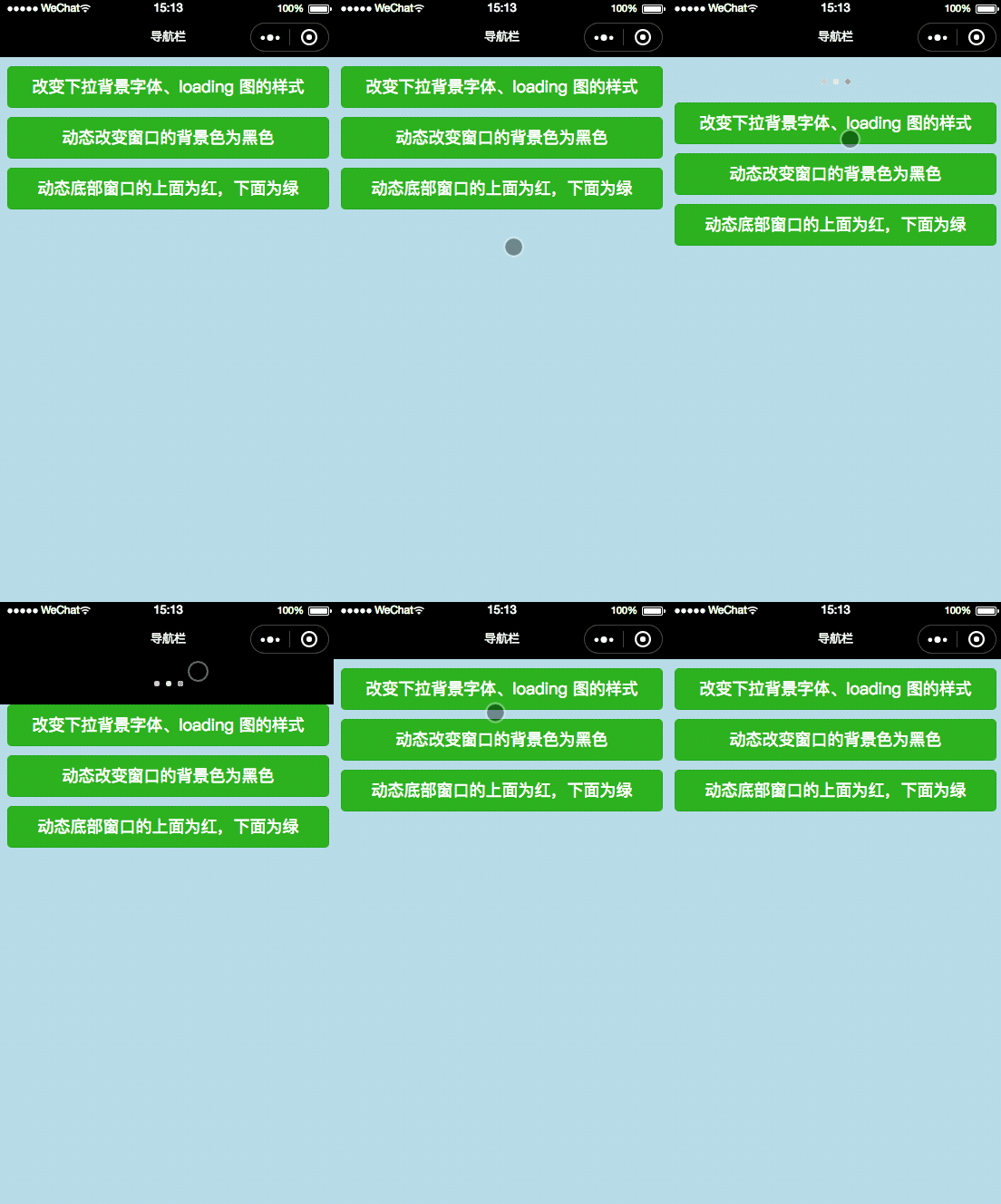
效果展示
wx.setBackgroundTextStyle(Object object)
动态设置下拉背景字体、loading 图的样式
wx.setBackgroundTextStyle参数
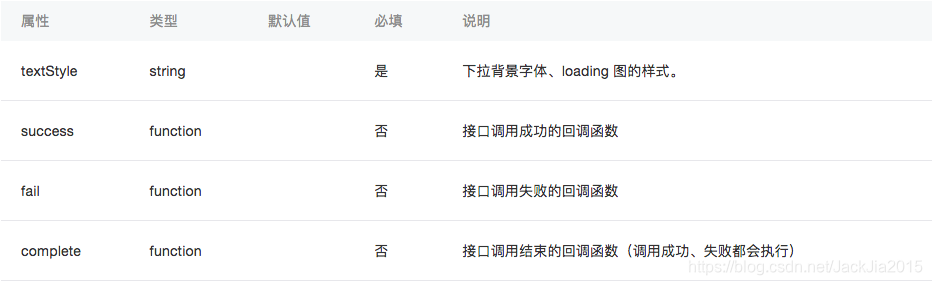
object.textStyle 的合法值
wx.setBackgroundColor(Object object)
动态设置窗口的背景色
wx.setBackgroundColor参数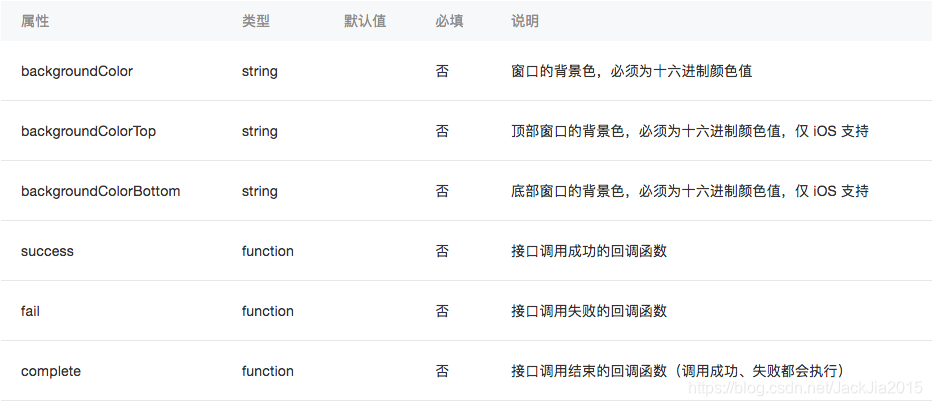
例如:
效果展示
代码
首先先设置可以下拉
index.json
index.wxml
button bindtap="btnClick1" type="primary"改变下拉背景字体、loading 图的样式/buttonbutton bindtap="btnClick2" type="primary"动态改变窗口的背景色为黑色/buttonbutton bindtap="btnClick3" type="primary"动态底部窗口的上面为红,下面为绿/buttonindex.wxss
page{ background-color: lightblue}button{ margin: 20rpx;}index.js
/* wx.setBackgroundTextStyle属性 textStyle 下拉背景字体、loading 图的样式。 dark 样式和light 样式 wx.setBackgroundColor属性 backgroundColor 窗口的背景色,必须为十六进制颜色值 backgroundColorTop 顶部窗口的背景色,必须为十六进制颜色值,仅 iOS 支持 backgroundColorBottom 底部窗口的背景色,必须为十六进制颜色值,仅 iOS 支持*/Page({ data: { }, btnClick1:function(){ wx.setBackgroundTextStyle({ textStyle: 'dark' // 下拉背景字体、loading 图的样式为dark }) }, btnClick2: function () { wx.setBackgroundColor({ backgroundColor: '#000000', // 窗口的背景色为黑色 }) }, btnClick3: function () { wx.setBackgroundColor({ backgroundColorTop: '#DC143C', // 顶部窗口的背景色为红 backgroundColorBottom: '# #00FA9A', // 底部窗口的背景色为绿 }) }})TAG标签: 微信小程序backgroundcolor
声明:本站所有文章资源内容,如无特殊说明或标注,均为采集网络资源。如若本站内容侵犯了原著者的合法权益,可联系本站删除。








