
微信小程序之表单组件之input(输入框)+textarea(多行输入框)+radio(单选项目)详解
一.input
input 即 输入框。该组件是原生组件,使用时请注意相关限制。
1.属性
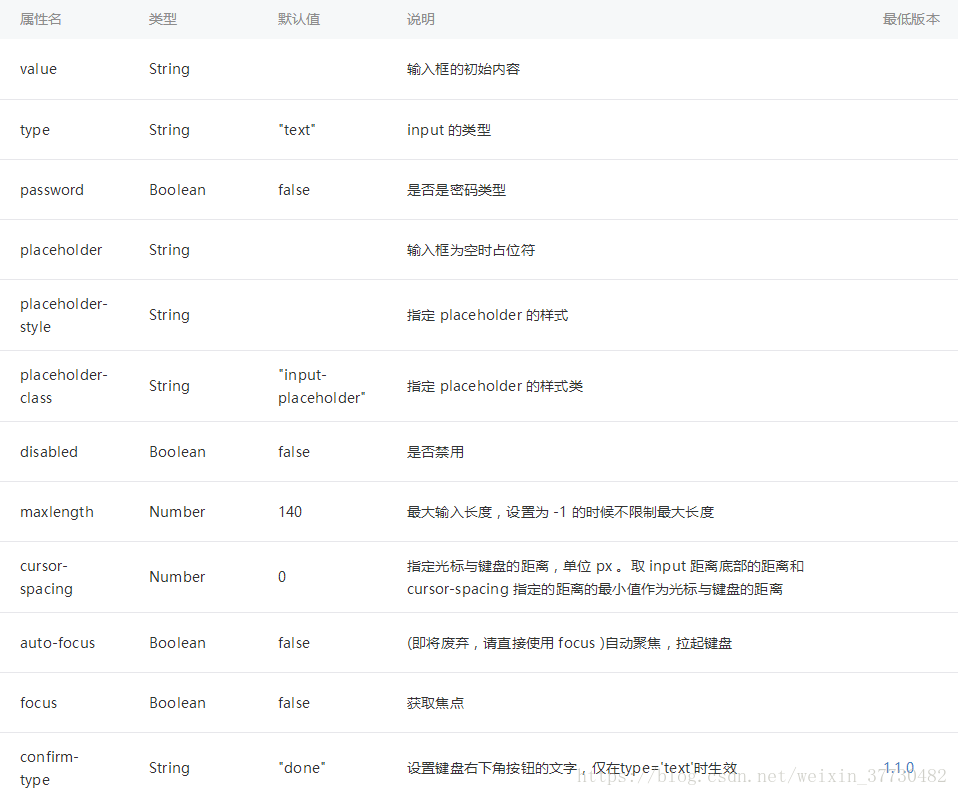
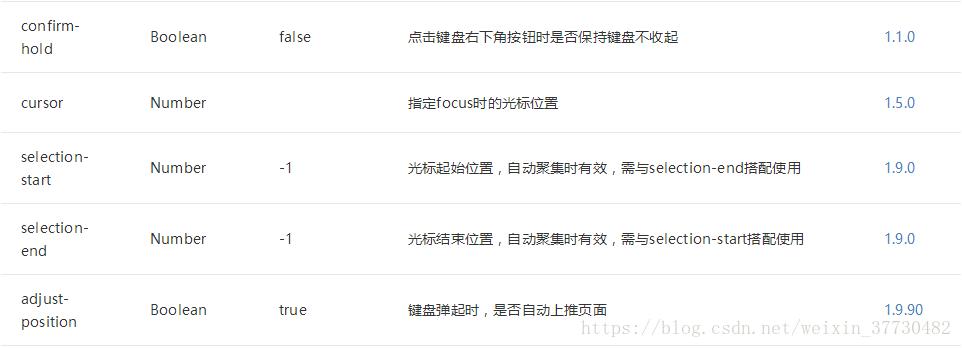
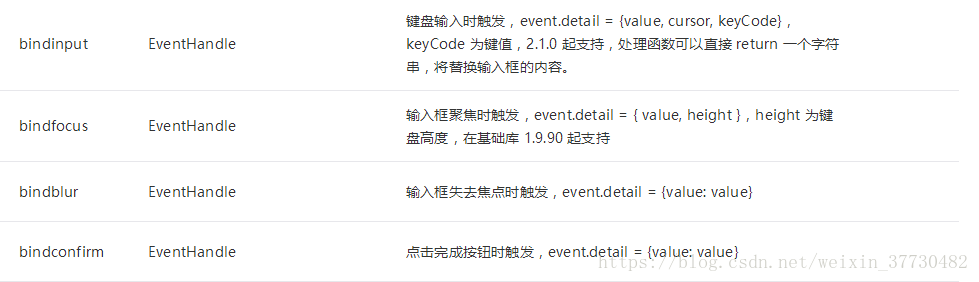
type 有效值
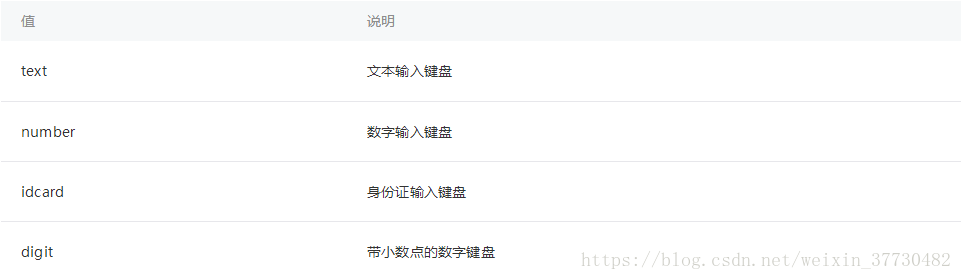
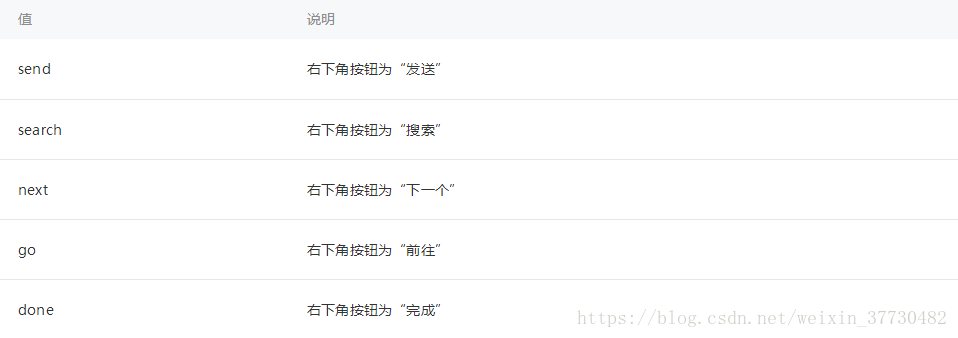
confirm-type 有效值
2.代码
https://developers.weixin.qq.com/miniprogram/dev/component/input.html
二.textarea
textarea 即 多行输入框。
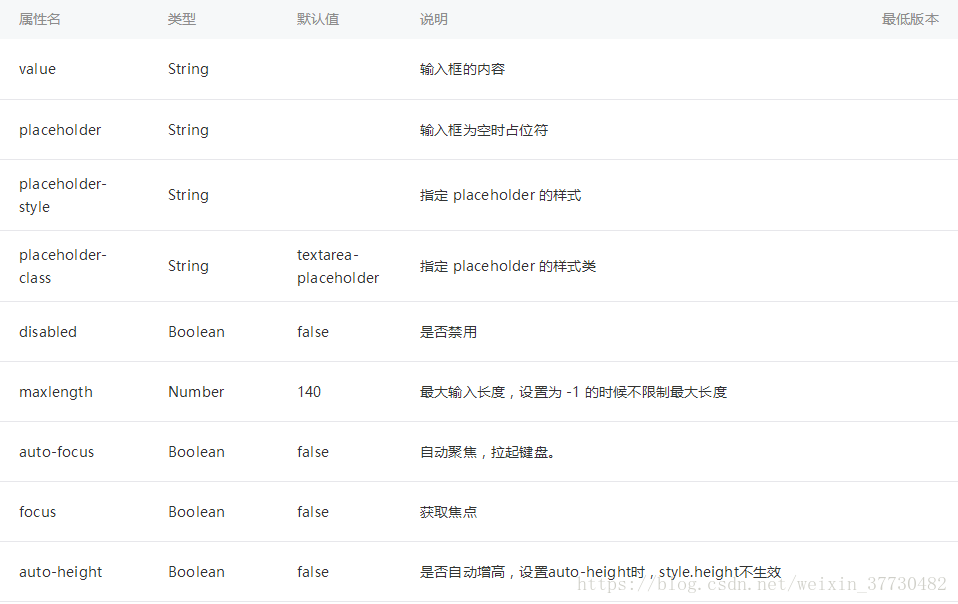
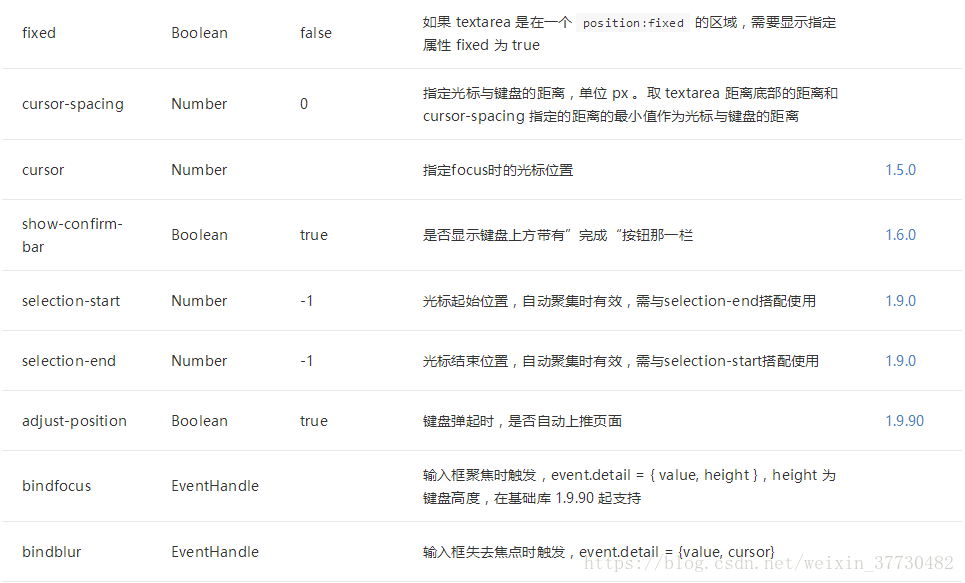
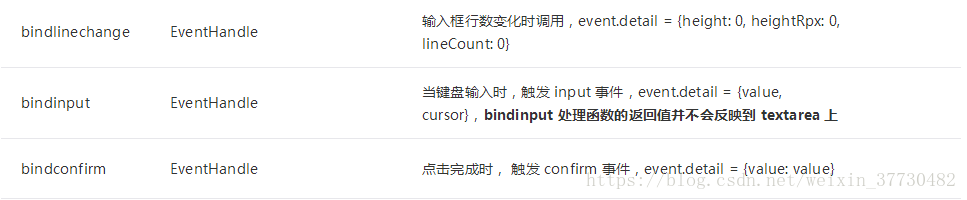
1.属性
2.代码
2.1.WXSS代码
textarea { width: 700rpx; height: 500rpx; margin-left: 10rpx; margin-right: 10rpx; margin-top: 10rpx;}.textarea-bg { background-color: #999; padding: 10rpx; font-size: 32rpx;}.title-bg { font-size: 32rpx; margin-left: 10rpx; margin-right: 10rpx; margin-top: 10rpx; color: #43c729;}
2.2.WXML代码
view class='father_view' view class='son_view' view class="title-bg"textarea演示/view textarea class="textarea-bg" placeholder="请输入内容" bindblur="getDataBindTap" auto-height / /view/view
2.3.JS代码
Page({ /** * 页面的初始数据 */ data: { }, /** * 获取内容 */ getDataBindTap:function(e){ var result = e.detail.value; console.log(result) },})
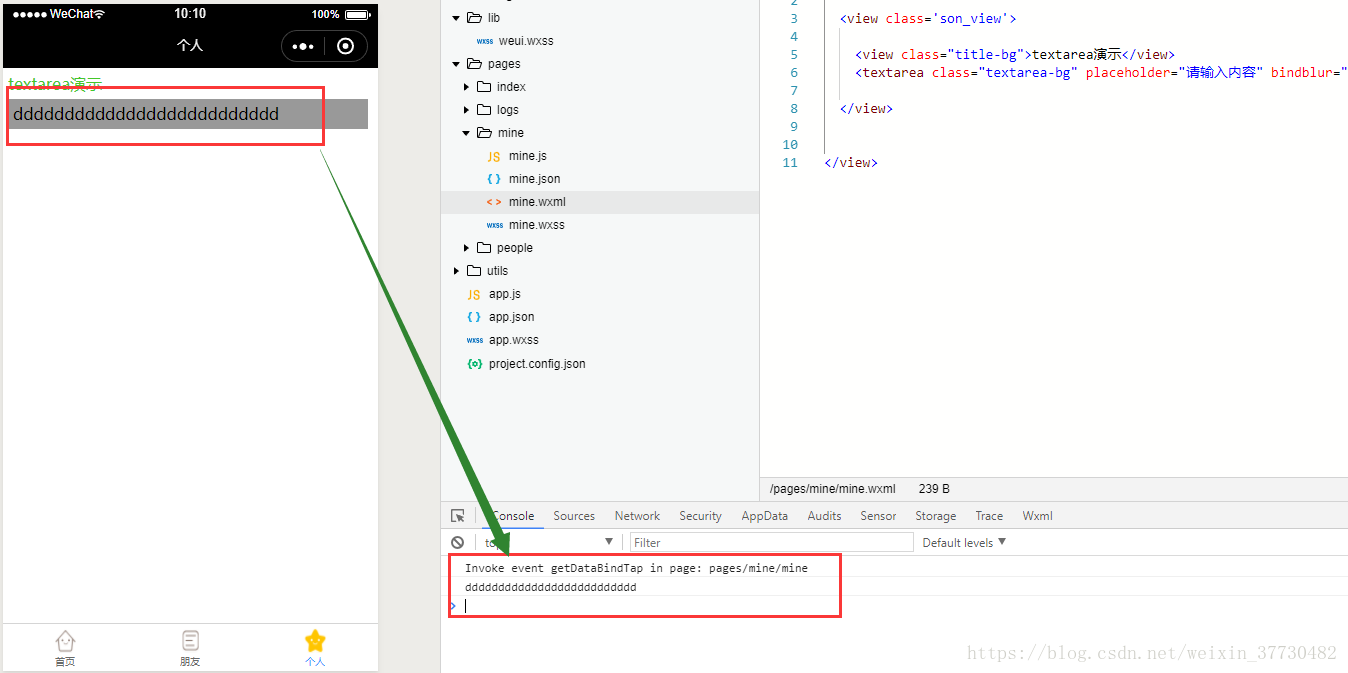
3.效果
三.radio
radio-group 即 单项选择器,内部由多个radio/组成。
1.属性

radio 即 单选项目。
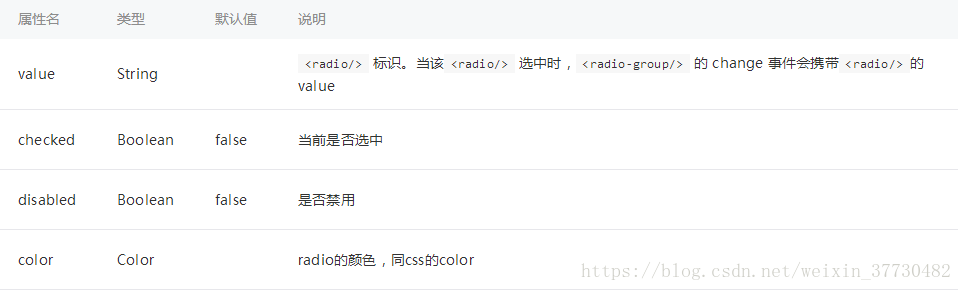
2.属性
3.代码
3.1.WXSS代码
.radio-group { border-bottom: 1px solid #ddd;}.radio { display: block; border-top: 1px solid #ddd; padding: 5px;}
3.2.WXML代码
view class="page" view class="page__hd" text class="page__title"radio单选框/text /view view class="page__bd" view class="section section_gap" radio-group class="radio-group" bindchange="radioChange" radio class="radio" wx:for-items="{{items}}" wx:key="name" value="{{item.name}}" checked="{{item.checked}}" text{{item.value}}/text /radio /radio-group /view /view/view
3.3.JS代码
Page({ data: { items: [ { name: 'USA', value: '美国' }, { name: 'CHN', value: '中国', checked: 'true' }, { name: 'BRA', value: '巴西' }, { name: 'JPN', value: '日本' }, { name: 'ENG', value: '英国' }, { name: 'FRA', value: '法国' }, ] }, radioChange: function (e) { console.log('radio发生change事件,携带value值为:', e.detail.value) }})
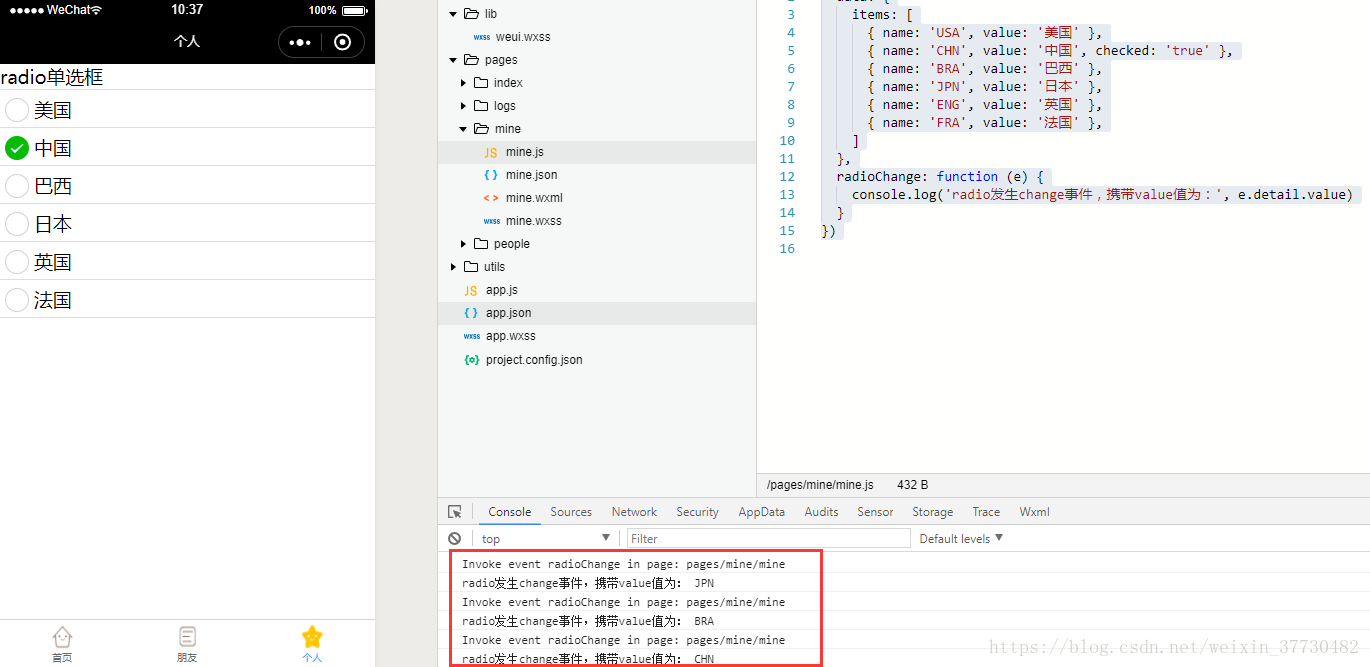
4.效果
声明:本站所有文章资源内容,如无特殊说明或标注,均为采集网络资源。如若本站内容侵犯了原著者的合法权益,可联系本站删除。








