
微信小程序:实现密码的可见与隐藏功能(真机有效)
像常见的app在注册,登录的时候会有输入密码的一项,通常又分为密码可见与不可见之分,微信小程序也存在这一的需求,刚开始的思路是利用input的type属性text和password来切换状态,但在真机上测试时ios上存在问题。后面改为用两个input来实现。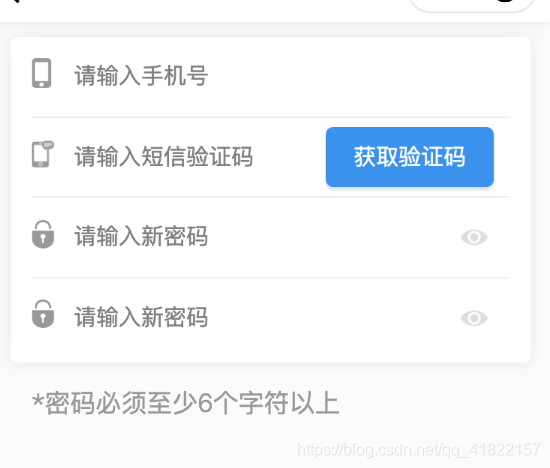
页面布局如下
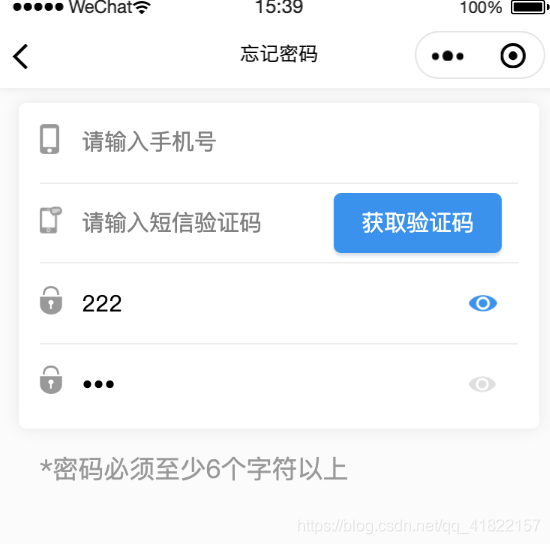
view class="content flex" view class="img" image src="../../images/password_login.png" style="width:30rpx;height:38rpx;" mode="aspectFit"/image /view view class="input" input wx:if="{{!isShow1}}" placeholder="请输入新密码" @input="newPass" value="{{newPassword}}" type="text" maxlength="16"/input input wx:else placeholder="请输入新密码" @input="hideNewPass" value="{{newPassword}}" type="password" maxlength="16"/input /view view class="see" image class="" @tap="showNewPsd1" src="{{isShow1?'../../images/nosee.png':'../../images/see.png'}}" style="width:40rpx;height:23rpx" mode="aspectFit"/image /view /view左中右布局方式 中间放了两个input,一个是type=“text”,用来放输入时可见的,另一个是type=“password”,用来放隐藏密码的。在点击右边小眼睛图标的时候切换这两个状态。
js逻辑
用的是小程序wepy框架,this.isShow=true等价为this.setData({
isShow:true});this.$apply()用来检查数据变化,wepy自带。原生不用。
功能简单,欢迎指出文档中的错误。
声明:本站所有文章资源内容,如无特殊说明或标注,均为采集网络资源。如若本站内容侵犯了原著者的合法权益,可联系本站删除。








