微信小程序 触控事件:

  转:http://www.jb51.net/article/94936.htm

》》》什么是事件

  • 事件是视图层到逻辑层的通讯方式。
  • 事件可以将用户的行为反馈到逻辑层进行处理。
  • 事件可以绑定在组件上,当达到触发事件,就会执行逻辑层中对应的事件处理函数。
  • 事件对象可以携带额外信息,如id, dataset, touches。
  • 事件的使用方式

    在组件中绑定一个事件处理函数。

    如bindtap,当用户点击该组件的时候会在该页面对应的Page中找到相应的事件处理函数。

    view id="tapTest" data-hi="MINA" bindtap="tapName" Click me! /view 

    在相应的Page定义中写上相应的事件处理函数,参数是event。

    Page({ tapName: function(event) { console.log(event) }})

    可以看到log出来的信息大致如下:

    {"type":"tap","timeStamp": 1252,"target": { "id":"tapTest", "offsetLeft": 0, "offsetTop": 0, "dataset": { "hi":"MINA" }},"currentTarget": { "id":"tapTest", "offsetLeft": 0, "offsetTop": 0, "dataset": { "hi":"MINA" }},"touches": [{ "pageX": 30, "pageY": 12, "clientX": 30, "clientY": 12, "screenX": 112, "screenY": 151}],"detail": { "x": 30, "y": 12}}

    事件详解

    事件分类

    事件分为冒泡事件和非冒泡事件:

    冒泡事件:当一个组件上的事件被触发后,该事件会向父节点传递。

    非冒泡事件:当一个组件上的事件被触发后,该事件不会向父节点传递。

    》》》事件分类

  • touchstart 手指触摸
  • touchmove 手指触摸后移动
  • touchcancel 手指触摸动作被打断,如弹窗和来电提醒
  • touchend 手指触摸动作结束
  • tap 手指触摸后离开
  • longtap 手指触摸后后,超过350ms离开
  • 》》》事件绑定

    事件绑定的写法同组件的属性,以 key、value 的形式。

  • key 以bind或catch开头,然后跟上事件的类型,如bindtap, catchtouchstart
  • value 是一个字符串,需要在对应的 Page 中定义同名的函数。不然当触发事件的时候会报错。 bind事件绑定不会阻止冒泡事件向上冒泡,catch事件绑定可以阻止冒泡事件向上冒泡。
  • 上面简单介绍了小程序事件基础,是时候彰显"事件"的威力:

  • 单击(tap)
  • 双击(dbtap)
  • 长按(longtap)
  • 滑动
  • 多点触控
  • 1.单击

    单击事件由touchstart、touchend组成,touchend后触发tap事件。
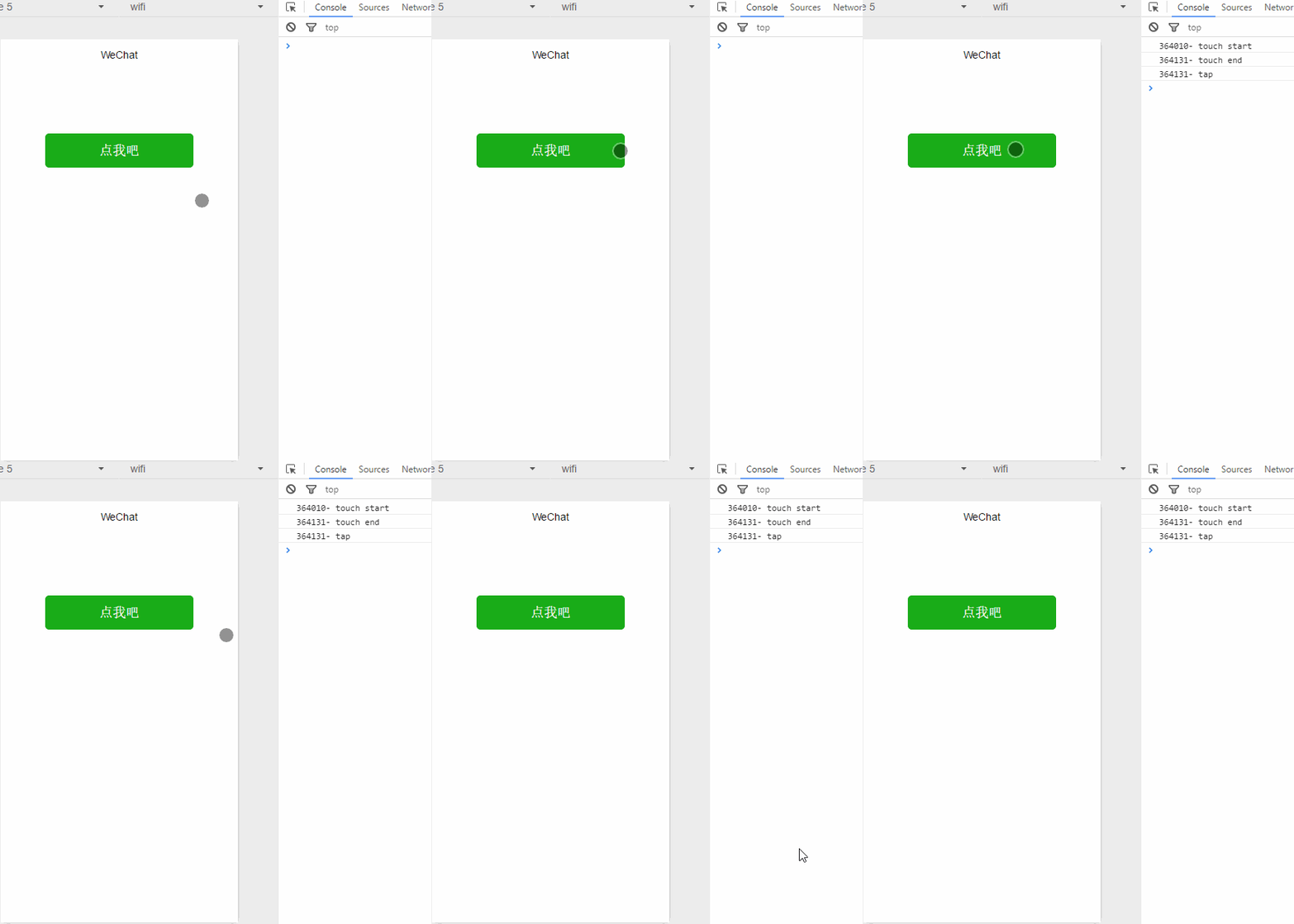
     小程序

    view button type="primary"bindtouchstart="mytouchstart"bindtouchend="mytouchend"bindtap="mytap"点我吧/button/viewmytouchstart: function(e){ console.log(e.timeStamp +'- touch start')},mytouchend: function(e){ console.log(e.timeStamp +'- touch end')},mytap: function(e){ console.log(e.timeStamp +'- tap')}

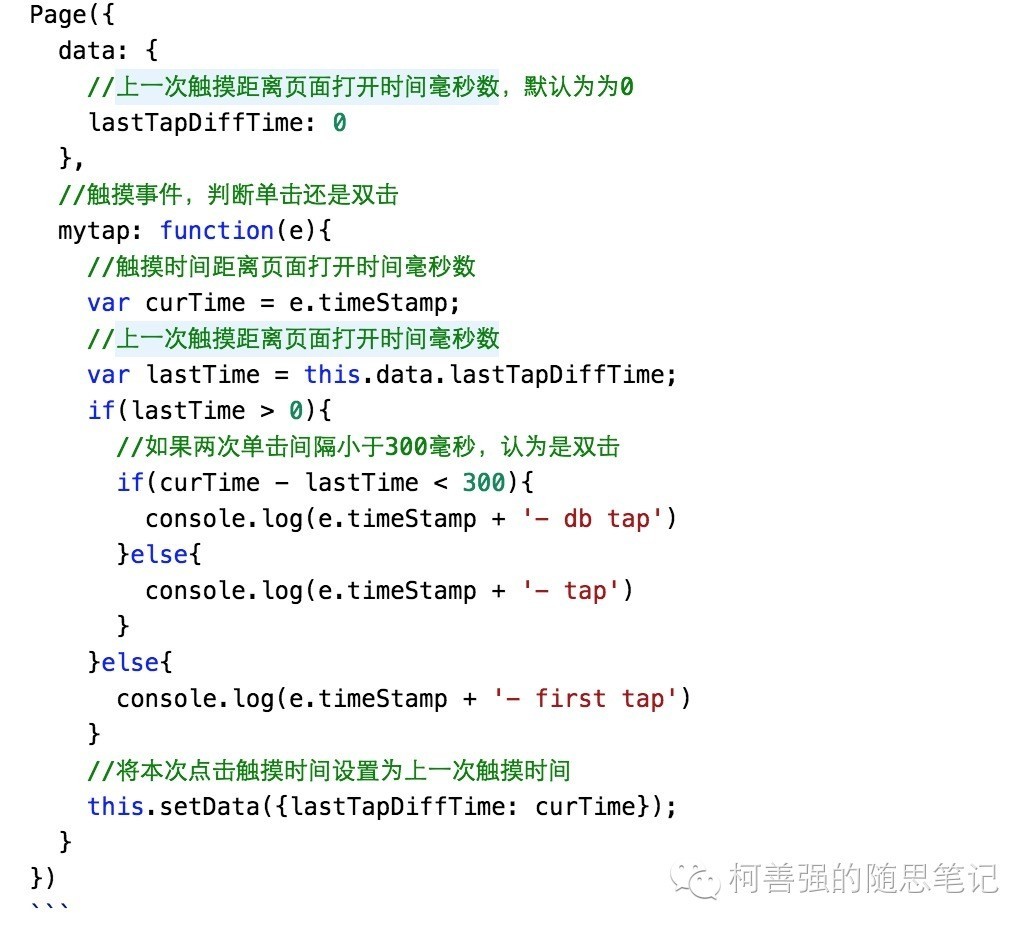
    2.双击

    双击事件由两个单击事件组成,两次间隔时间小于300ms认为是双击;微信官方文档没有双击事件,需要开发者自己定义处理。
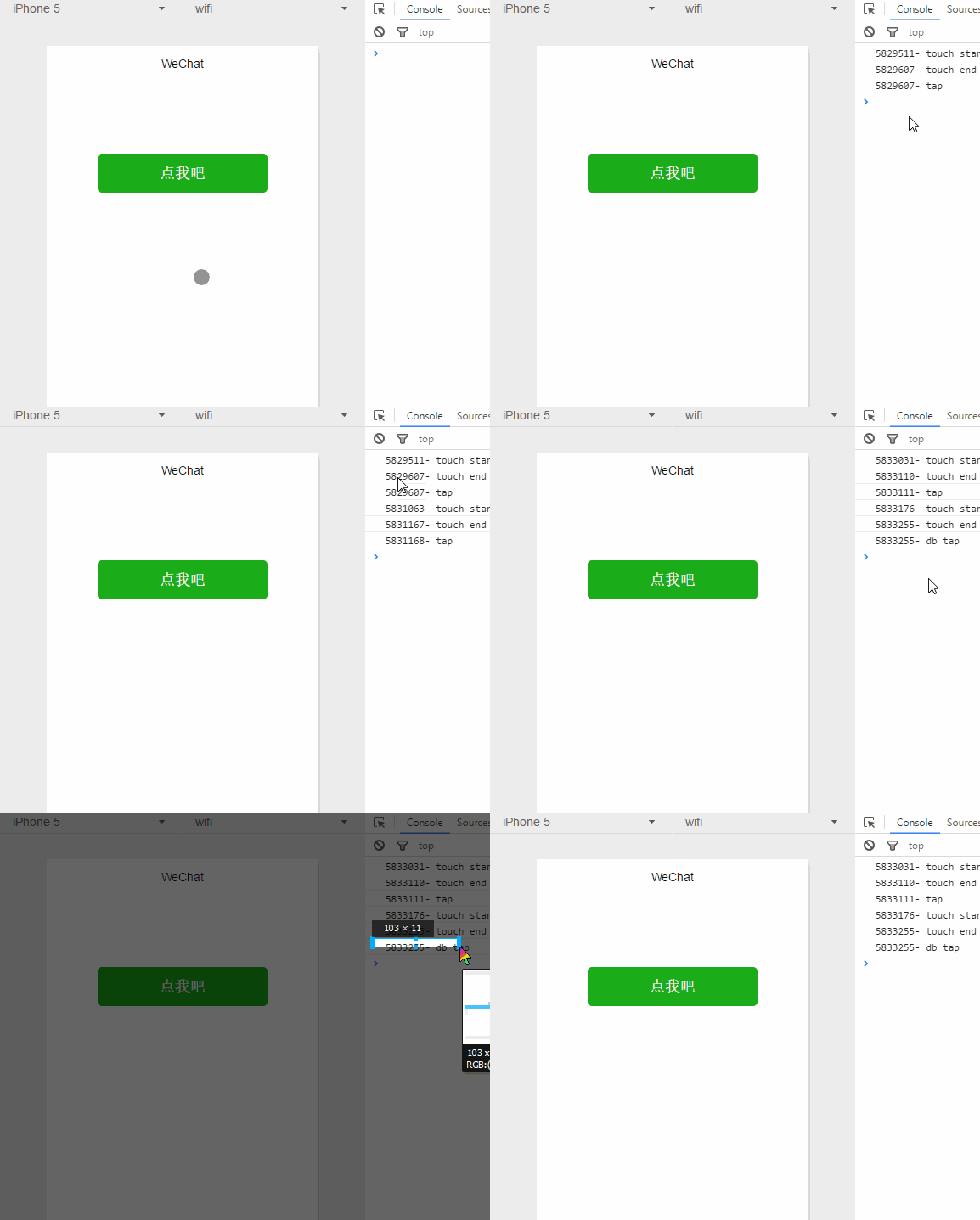
     

    view buttontype="primary"bindtap="mytap"点我吧/button/view


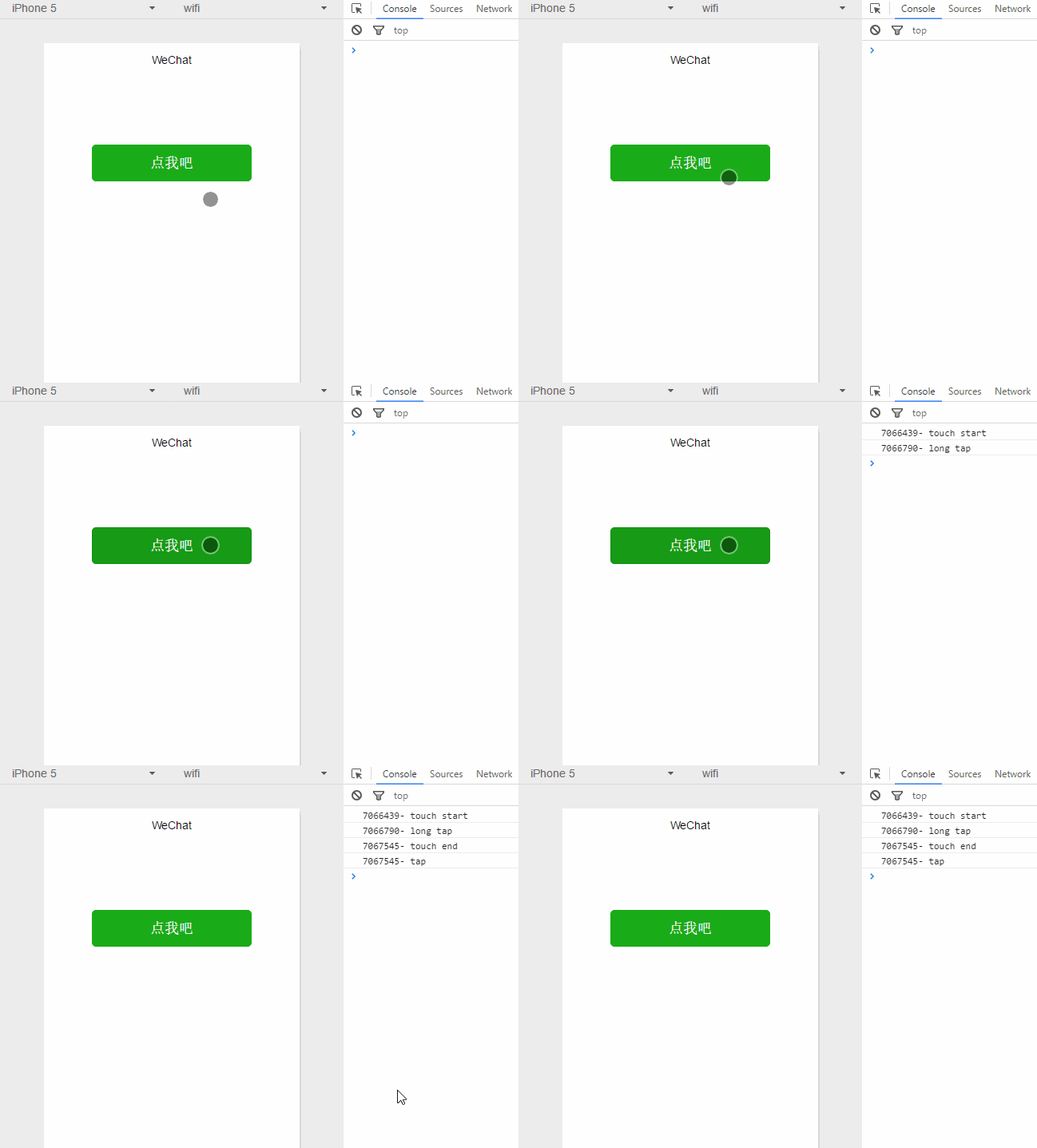
     3.长按

    长按事件手指触摸后,超过350ms再离开。


    view button type="primary"bindtouchstart="mytouchstart"bindlongtap="mylongtap" bindtouchend="mytouchend"bindtap="mytap"点我吧/button/viewmytouchstart: function(e){ console.log(e.timeStamp +'- touch start')},//长按事件mylongtap: function(e){ console.log(e.timeStamp + '- long tap') },mytouchend:function(e){ console.log(e.timeStamp +'- touch end')},mytap: function(e){ console.log(e.timeStamp +'- tap')}

    单击、双击、长按属于点触事件,会触发touchstart、touchend、tap事件,touchcancel事件只能在真机模拟,不多说了。

    事件触发顺序
    单击touchstart → touchend → tap
    双击touchstart → touchend → tap → touchstart → touchend → tap
    长按touchstart → longtap → touchend → tap

    4.滑动

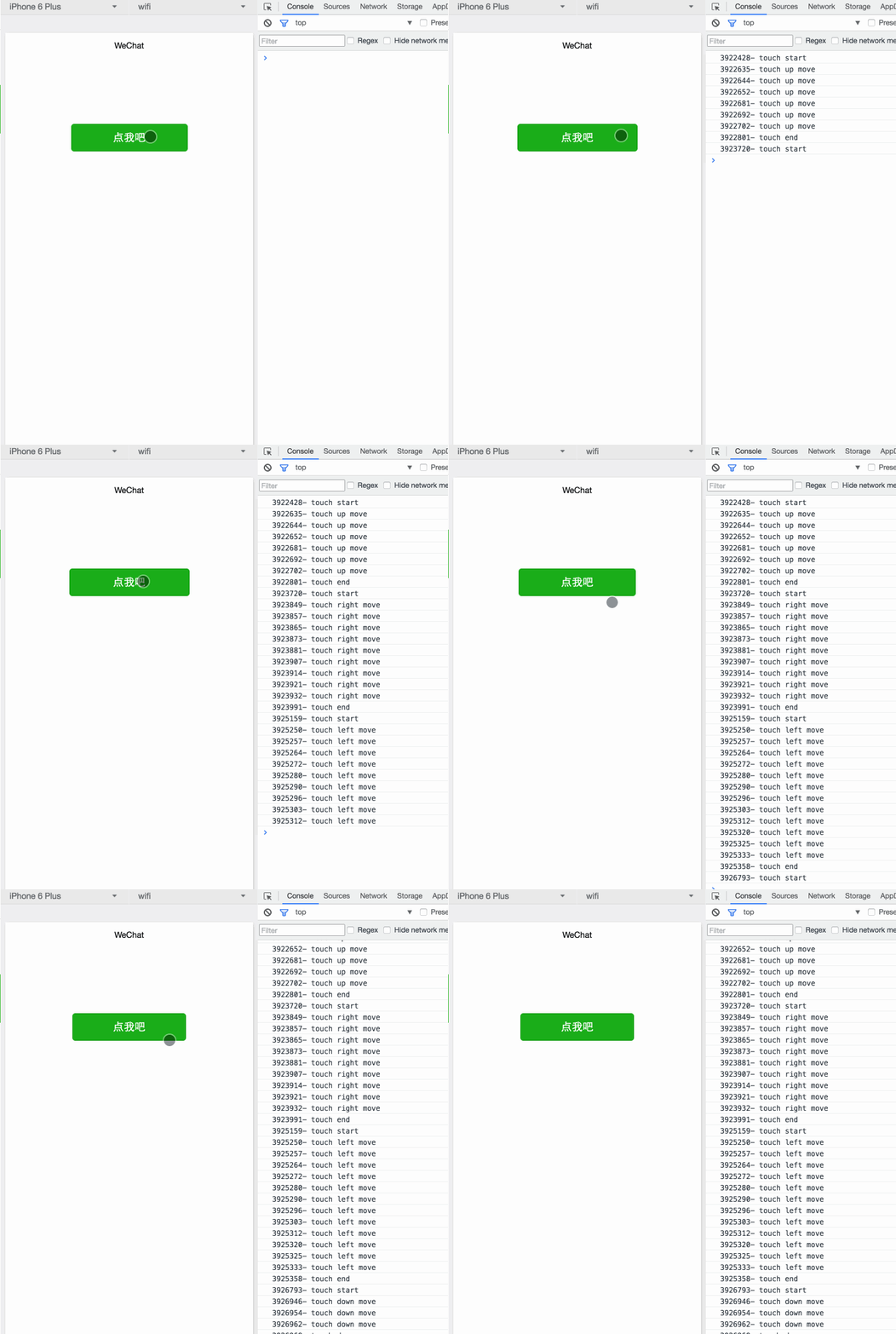
    手指触摸屏幕并移动,为了简化起见,下面以水平滑动和垂直滑动为例。 滑动事件由touchstart、touchmove、touchend组成
     

    坐标图:
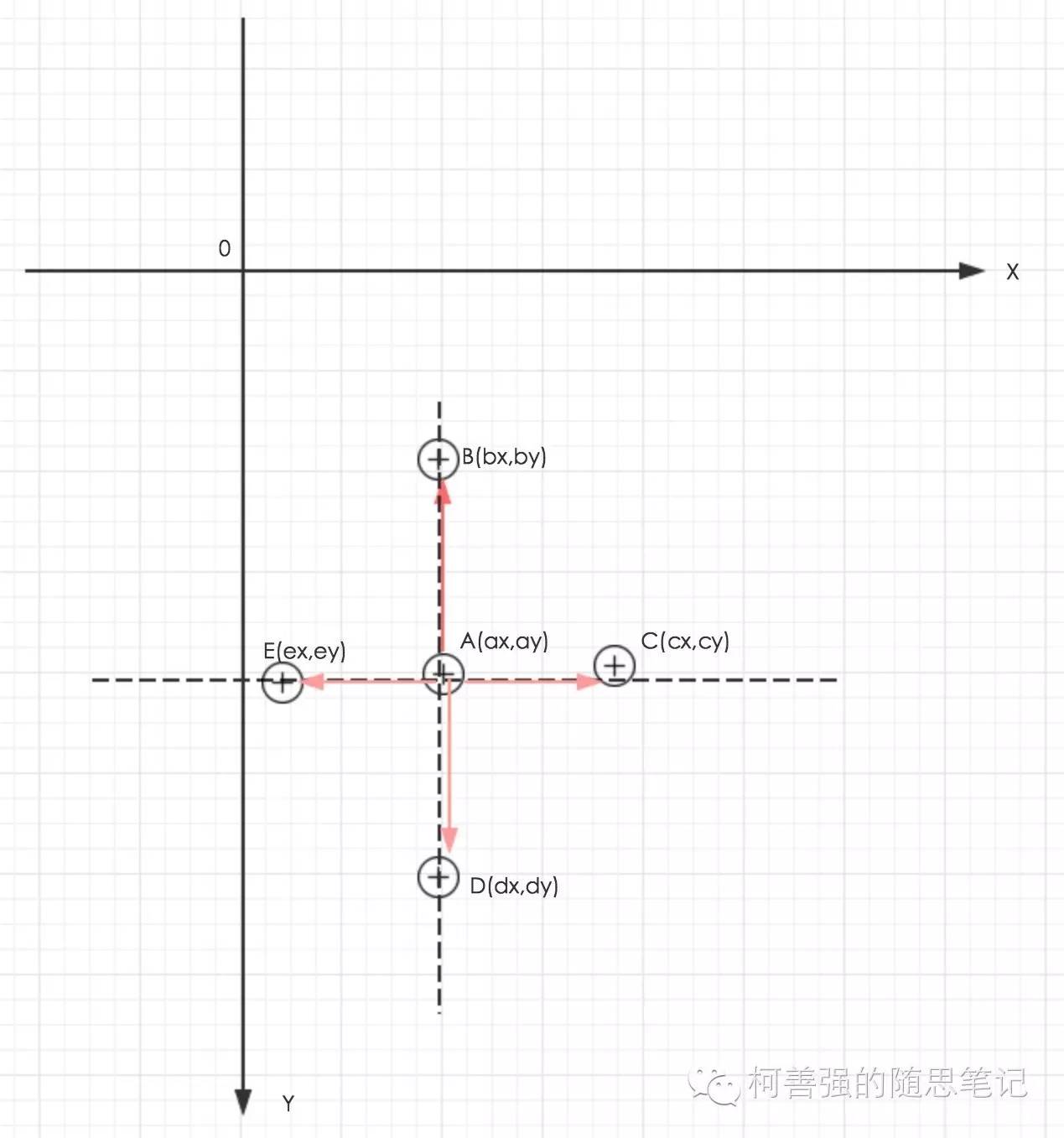
     

  • 以屏幕左上角为原点建立直角坐标系。第四象限为手机屏幕,Y轴越往下坐标值越大(注意跟数学象限的区别)。
  • 假设A点为touchstart事件触摸点,坐标为A(ax,ay),然后手指向上滑动到点B(bx,by),就满足条件by ay;
  • 同理,向右滑动到C(cx,cy),满足cx ax;向下滑动到D(dx,dy),满足dy ay;向左移动到E(ex,ey)满足ex ax.
  • 计算线段AB在Y轴上投影长度为m,在X轴上的投影长度为n
  • 计算r = m/n,如果r 1,视为向上滑动。
  • 同理计算线段AC,AD,AE在Y轴投影长度与X轴的投影长度之比,得出向右向下向左的滑动。
  • 以上没考虑r为1的情况。

    view buttontype="primary"bindtouchstart="mytouchstart"bindtouchmove="mytouchmove"点我吧/button/view
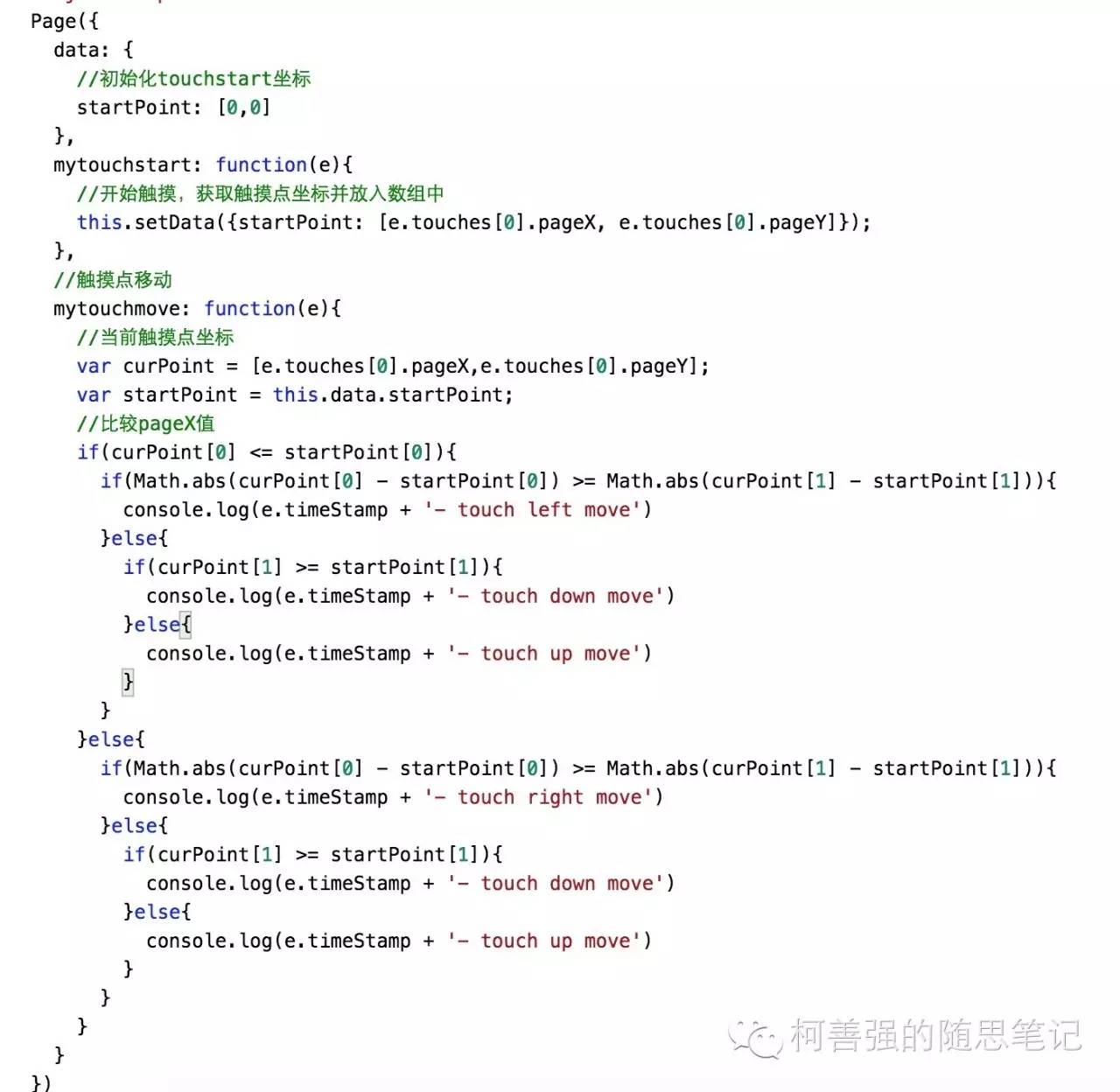
    mytouchstart: function (e) {var that = this;//开始触摸,获取触摸坐标console.log(e)that.setData({ startpoint: [e.touches[0].pageX, e.touches[0].pageY] });},//触摸点移动mytouchmove: function (e) {//当前触摸点坐标var that = this;var curPoint = [e.touches[0].pageX, e.touches[0].pageY];var startpoint = that.data.startpoint;console.log(startpoint)console.log(curPoint)//比较pagex值if (curPoint[0] startpoint[0]) {if (Math.abs(curPoint[0] - startpoint[0]) = Math.abs(curPoint[1] - startpoint[1])) {console.log(e.timestamp + '-touch left move')that.setData({dellStyle: "dellList"})} else {if (curPoint[1] = startpoint[1]) {console.log(e.timestamp + '-touch down move')} else {console.log(e.timestamp + '-touch up move')}}} else {if (Math.abs(curPoint[0] - startpoint[0] = Math.abs(curPoint[1] - startpoint[1]))) {console.log(e.timestamp + '-touch right move')that.setData({dellStyle: "modList"})} else {if (curPoint[1] = startpoint[1]) {console.log(e.timestamp + '-touch down move')} else {console.log(e.timestamp + '-touch up move')}}}},

    5.多点触控

    由于模拟器尚不支持多点触控,内测开放后,继续补充。

    实际使用中遇到的坑;

    本身使用的是 scroll-view 进行下拉刷新事件,想在页面list里面进行左滑动唤醒删除菜单,实际上写出来会冲突导致 scroll事件无法触发,默认滑动事件了。

    长按:touchstart → longtap → touchend → tap

    本身list绑定了单击事件点击进入详情页,准备增加一个长按唤醒操作菜单,实际体验并不好,长按之后手指不能直接离开屏幕那样会触发点击事件,需要轻微移动一下离开屏幕。

    解决思路

    前端绑定三个事件

    bindtouchstart="mytouchstart" bindtouchend="mytouchend"  bindtap="bindtap"js处理通过点击开始结束判断点击屏幕时间,进行不同的业务触发

    bindtap: function (e) {var that = this;//触摸时间距离页面打开的毫秒数  var touchTime = that.data.touch_end - that.data.touch_startconsole.log(touchTime)//如果按下时间大于350为长按  if (touchTime 350) {wx.showModal({title: '提示',content: '这是一个模态弹窗',success: function (res) {if (res.confirm) {console.log('用户点击确定')} else if (res.cancel) {console.log('用户点击取消')}}})} else {var id = e.currentTarget.dataset.id;wx.navigateTo({url: '../detail/detail?id=' + id})}},//按下事件开始  mytouchstart: function (e) {let that = this;that.setData({touch_start: e.timeStamp})console.log(e.timeStamp + '- touch-start')},//按下事件结束  mytouchend: function (e) {let that = this;that.setData({touch_end: e.timeStamp})console.log(e.timeStamp + '- touch-end')},

    TAG标签: 微信小程序touchstart

    http://www.xiaochengxub.com/read-103506.html