
微信小程序之简单双向调节的slider滑动选择器
简单说明一下,这是用微信官方的slider组件拼接的,没有用到其他框架哈。
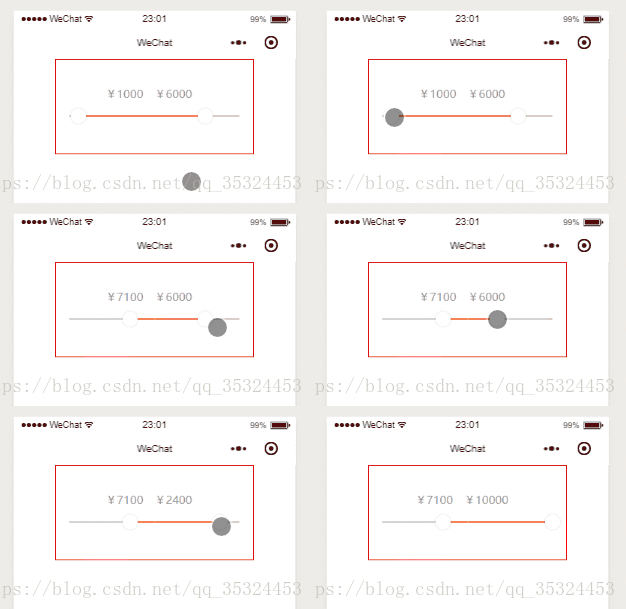
(一)实现效果
(二)实现过程
主要是将两个滑动选择器拼接在一起、各自设置所占长度比,就可以实现双向滚动调节了,但是有一个问题,我没有解决到,就是一个固定的滑动区域内,左右滑块可以相互交接互相滑动,尝试了一下没弄出来。
1、wxml代码:
2、wxss代码:
.sliderHCon { margin: 0 40rpx 0 40rpx; height: 250rpx; border: 1rpx solid red; width: 70%; margin: auto; display: flex; justify-content: center; align-items: center; flex-direction: column;}.MoneyValue { font-size: 30rpx; text-align: center; color: #999; margin-top: 15rpx;}.showMoney text { margin-right: 30rpx;}.twoSlider { width: 100%; display: flex; flex-direction: row; justify-content: center; align-items: center;}3、js代码:
/** * 页面的初始数据 */ data: { leftMin: 0, //左边滑块最小值 leftMax: 10000, //左边滑块最大值 rightMin: 0, //右边滑块的最小值 rightMax: 10000, //右边滑块最大值 leftValue: 1000, //左边滑块默认值 rightValue: 6000, //右边滑块默认值 leftWidth: '50', //左边滑块可滑动长度:百分比 rightWidth: '50', //右边滑块可滑动长度:百分比 }, // 左边滑块滑动的值 leftChange: function(e) { console.log('左边改变的值为:' + e.detail.value); var that = this; that.setData({ leftValue: e.detail.value //设置左边当前值 }) }, // 右边滑块滑动的值 rightChange: function(e) { console.log('右边改变的值为:' + e.detail.value); var that = this; that.setData({ rightValue: e.detail.value, }) },如果想参考其他小程序框架做的,实现效果如下,可以参考这篇wepy写的介绍文章 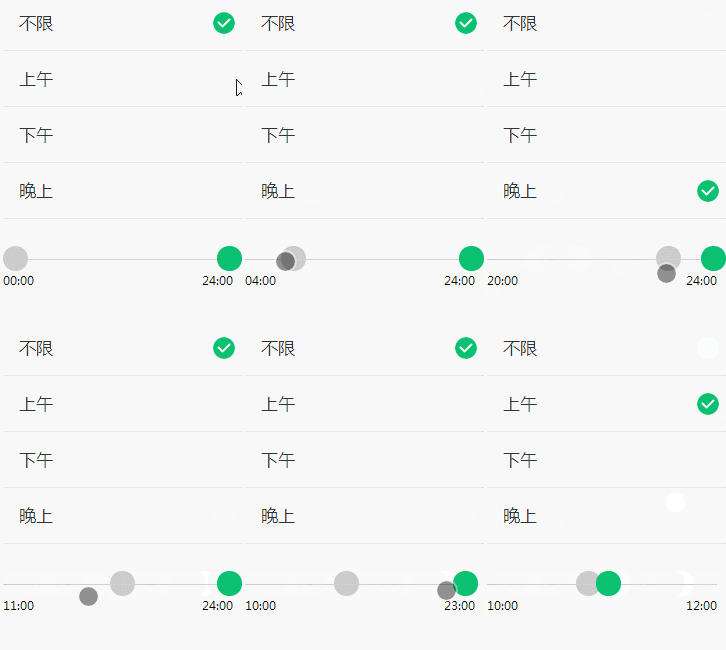
声明:本站所有文章资源内容,如无特殊说明或标注,均为采集网络资源。如若本站内容侵犯了原著者的合法权益,可联系本站删除。








