
小程序上传文件demo
上传图片的方法
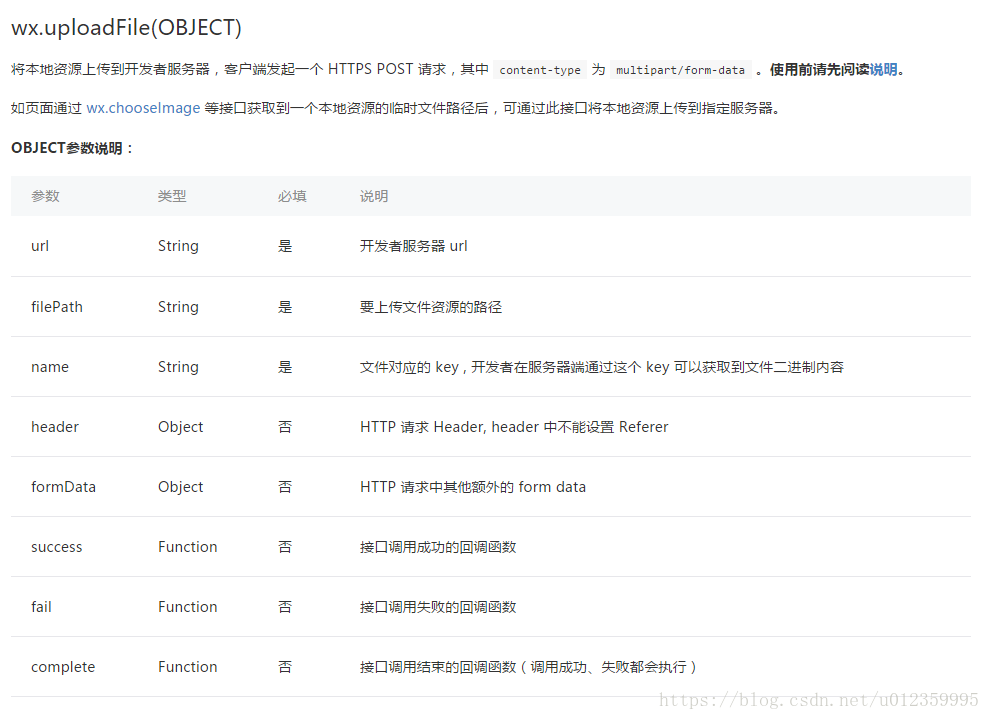
主要注意几个关键参数: url、filePath、name
filePath 是一个本地的文件资源路径,可以通过wx.chooseImage来获取,下面会有具体的示例
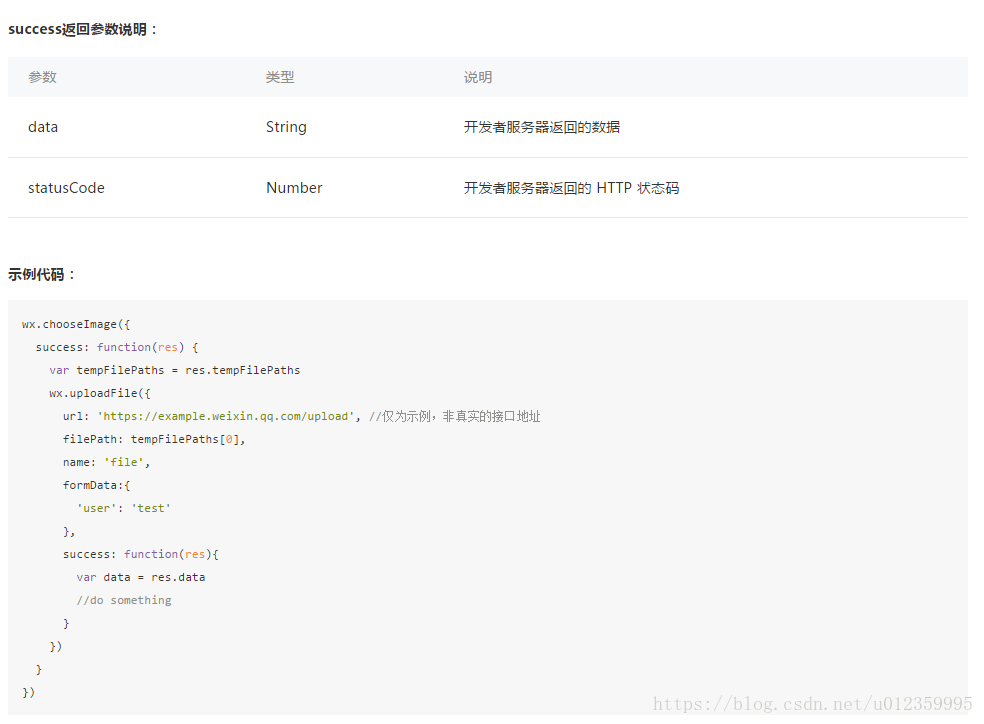
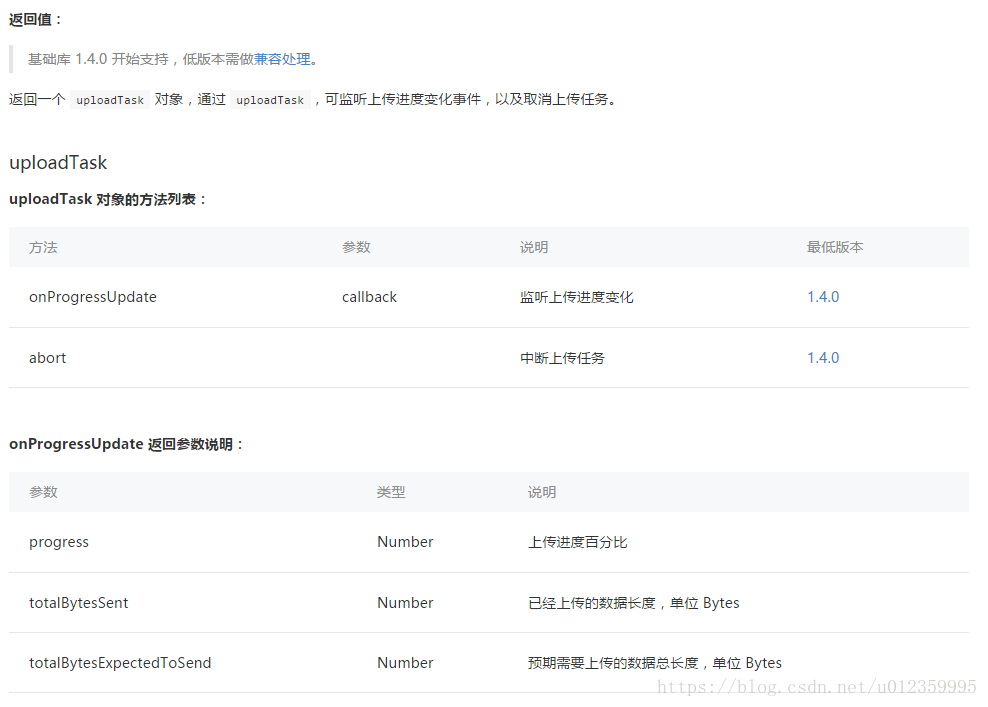
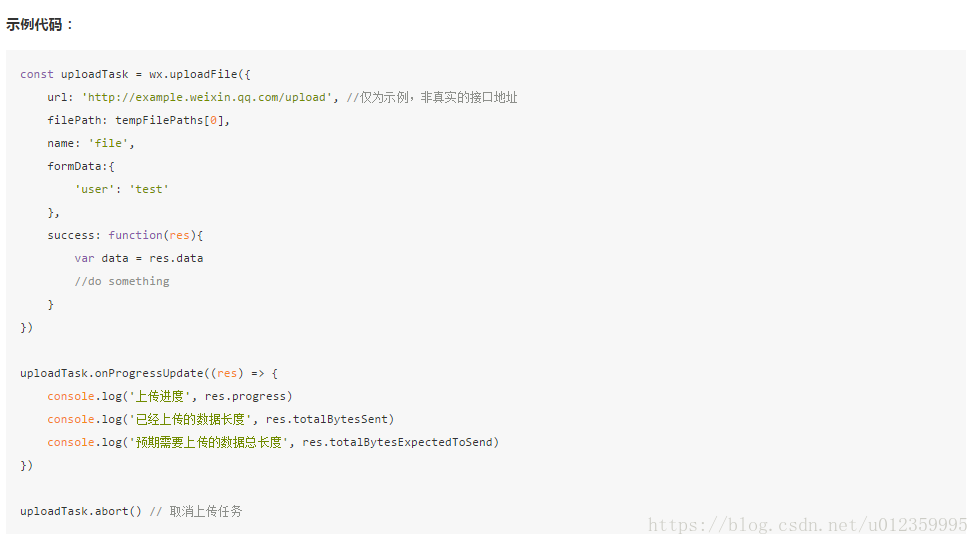
upload: function () { var that = this; wx.uploadFile({ url: 'https://{{url}}/upload', filePath: that.data.imgSrc, name: 'tupian', formData: { 'filename': 'test.png' }, success: function (res) { var data = res.data if (data) { wx.showToast({ title: '上传成功', icon: 'success', duration: 2000 }) that.setData({ imgUrl: data }) } } })}还可以显示文件上传的进度,具体用法见最下面的api
后台接收文件的controller
这里是java的代码,其它语言请自行编写
@RequestMapping(value = "upload")@ResponseBodypublic String upload( @RequestParam(value = "tupian", required = true) MultipartFile file, HttpServletRequest request) { try { if (!file.isEmpty()) { String originalFilename = file.getOriginalFilename(); String fileNameSuffix = originalFilename.substring(originalFilename.lastIndexOf("."));// 统一为小写 fileNameSuffix = fileNameSuffix.toLowerCase(); String uuid = UUID.randomUUID().toString(); String tempFileName = uuid + fileNameSuffix;// 临时存储路径 String videoPath = "/tmp/";// 暂存 file.transferTo(new File(videoPath + tempFileName));// 临时文件 File tempFile = new File(videoPath + tempFileName);// 上传至文件服务器,并得到对应的url String url = ""; return url; } } catch (Exception e) { e.printStackTrace(); } finally { } return null;}选择图片并得到它的资源路径
choose: function () { var that = this; wx.chooseImage({ count: 1, // 默认9 sizeType: ['original', 'compressed'], // 可以指定是原图还是压缩图,默认二者都有 sourceType: ['album', 'camera'], // 可以指定来源是相册还是相机,默认二者都有 success: function (res) { // 返回选定照片的本地文件路径列表,tempFilePath可以作为img标签的src属性显示图片 var tempFilePaths = res.tempFilePaths console.log(tempFilePaths) that.setData({ imgSrc: tempFilePaths[0] }) } }) }wxml布局文件
button bindtap='choose' 请选择一张图片 /buttonimage src='{{imgSrc}}'/imagebutton bindtap='upload' 上传 /buttonimage src='{{imgUrl}}'/image页面的初始数据
data: { imgSrc: '', imgUrl: ''}下面是官方提供的api文档
声明:本站所有文章资源内容,如无特殊说明或标注,均为采集网络资源。如若本站内容侵犯了原著者的合法权益,可联系本站删除。








