
解决微信小程序更新发布之后线上还是之前的老版本
微信小程序每次发布更新后线上还是之前的老版本,要删除后重新打开才会显示新版本,特烦。
不知道是不是太久没去看文档了,发现 api 中增加了更新 wx.getUpdateManager(),于是立马来试试。
在 app.js 中增加一个 onLaunch 生命周期函数,然后把微信的这段示例代码丢进去,在编译模式中勾选“下次编译时模拟更新”,编译时就可以看到效果了。
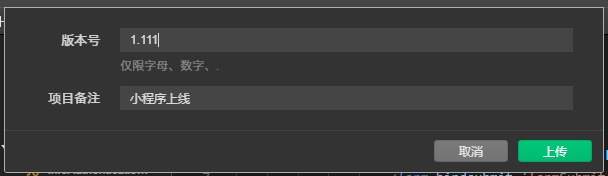
App({ onLaunch: function(){ const updateManager = wx.getUpdateManager() updateManager.onCheckForUpdate(function (res) { // 请求完新版本信息的回调 console.log(res.hasUpdate) }) updateManager.onUpdateReady(function () { wx.showModal({ title: '更新提示', content: '新版本已经准备好,是否重启应用?', success: function (res) { if (res.confirm) { // 新的版本已经下载好,调用 applyUpdate 应用新版本并重启 updateManager.applyUpdate() } } }) }) updateManager.onUpdateFailed(function () { // 新版本下载失败 }) }})上传代码的时候要带上版本号,然后微信会根据版本号判断是否为新版本。
声明:本站所有文章资源内容,如无特殊说明或标注,均为采集网络资源。如若本站内容侵犯了原著者的合法权益,可联系本站删除。








