
微信小程序之数据传递
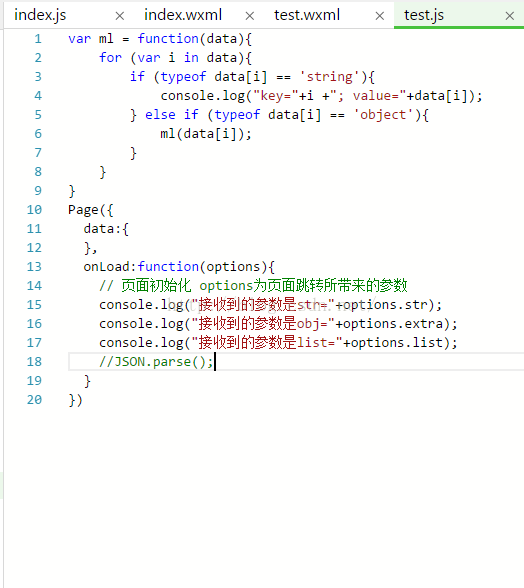
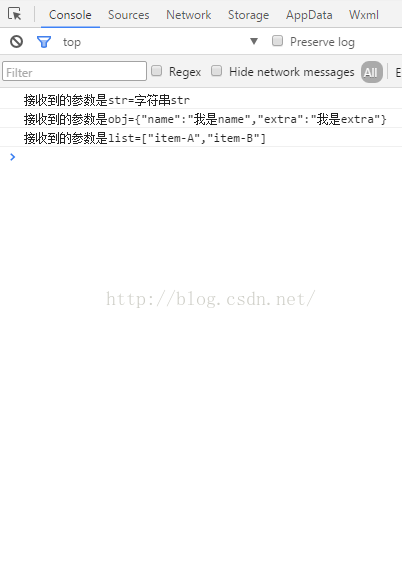
本文主要介绍,页面跳转间的数据传递。传递的数据类型主要有1,基本数据类型;2,对象;3,数组集合;先告诉你,本质上都是string类型传递。但是对于对象和数组集合的传递需要小小的处理一下传递时的数据和接收后的数据。1,传递基本数据类型index.js 发送页JSPage({ data: { testStr: '字符串str' }, onLoad: function () { }, next: function(e){ wx.navigateTo({ url: '/pages/test/test?str='+this.data.testStr, }) }})test.js 接受页JSPage({ data:{ }, onLoad:function(options){ console.log("接收到的参数是str="+options.str); }})打印的Log如下:接收到的参数是str=字符串str2,传递对象{}index.js 发送页JSPage({ data: { testData:{name:'我是name', extra:'我是extra'} }, onLoad: function () { }, next: function(e){ wx.navigateTo({ url: '/pages/test/test?extra='+JSON.stringify(this.data.testData) }) }})test.js 接受页JSPage({ data:{testData:null }, onLoad:function(options){ console.log("接收到的参数是obj="+options.extra);//此处打印出来的仅仅是字符串 需要解析,解析如下this.dat.testData = JSON.parse(options.extra);//解析得到对象 }})打印的Log如下:test.js [sm]:16 接收到的参数是obj={"name":"我是name","extra":"我是extra"}3,传递数组集合[]index.js 发送页JSPage({ data: { list:['item-A','item-B'] }, onLoad: function () { }, next: function(e){ wx.navigateTo({ url: '/pages/test/test?list='+JSON.stringify(this.data.list), }) }})test.js 接受页JSPage({ data:{list:[] }, onLoad:function(options){ console.log("接收到的参数是list="+options.list);//此处打印出来的是字符串,解析如下 this.data.list = JSON.parse(options.list);//解析得到集合 }})打印的Log如下:test.js [sm]:17 接收到的参数是list=["item-A","item-B"]另外,还可以通过缓存(wx.setStorage(OBJECT),wx.setStorageSync(KEY,DATA))来传递数据,只是保存后需要清除,防止缓存过大的情况.
声明:本站所有文章资源内容,如无特殊说明或标注,均为采集网络资源。如若本站内容侵犯了原著者的合法权益,可联系本站删除。








