
微信小程序创建之获取地理位置并跳转腾讯地图
微信小程序创建之获取地理位置并跳转腾讯地图1、服务器域名配置登录微信公众平台小程序,首先配置服务器域名。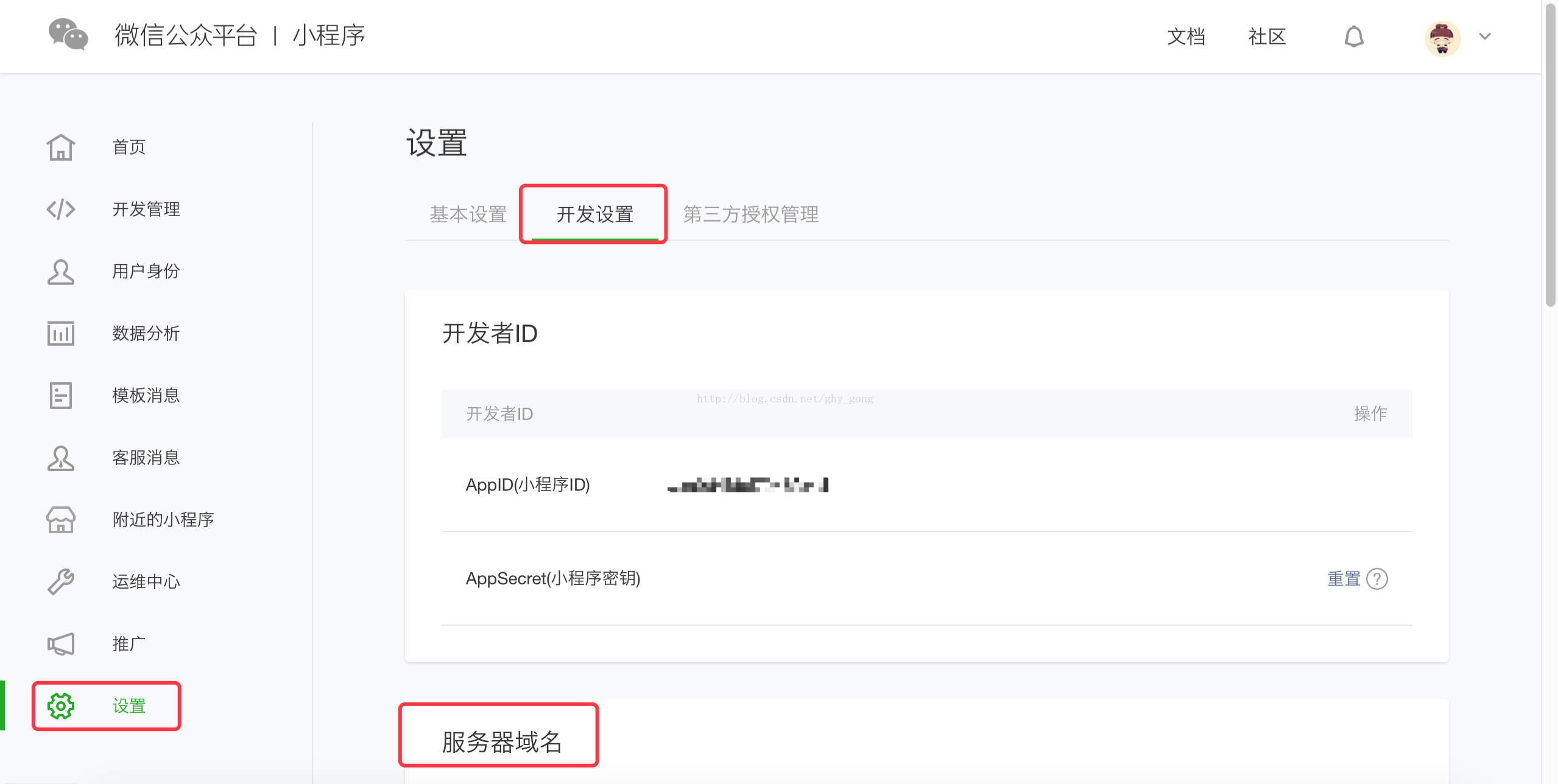 本实例的域名在腾讯云购买
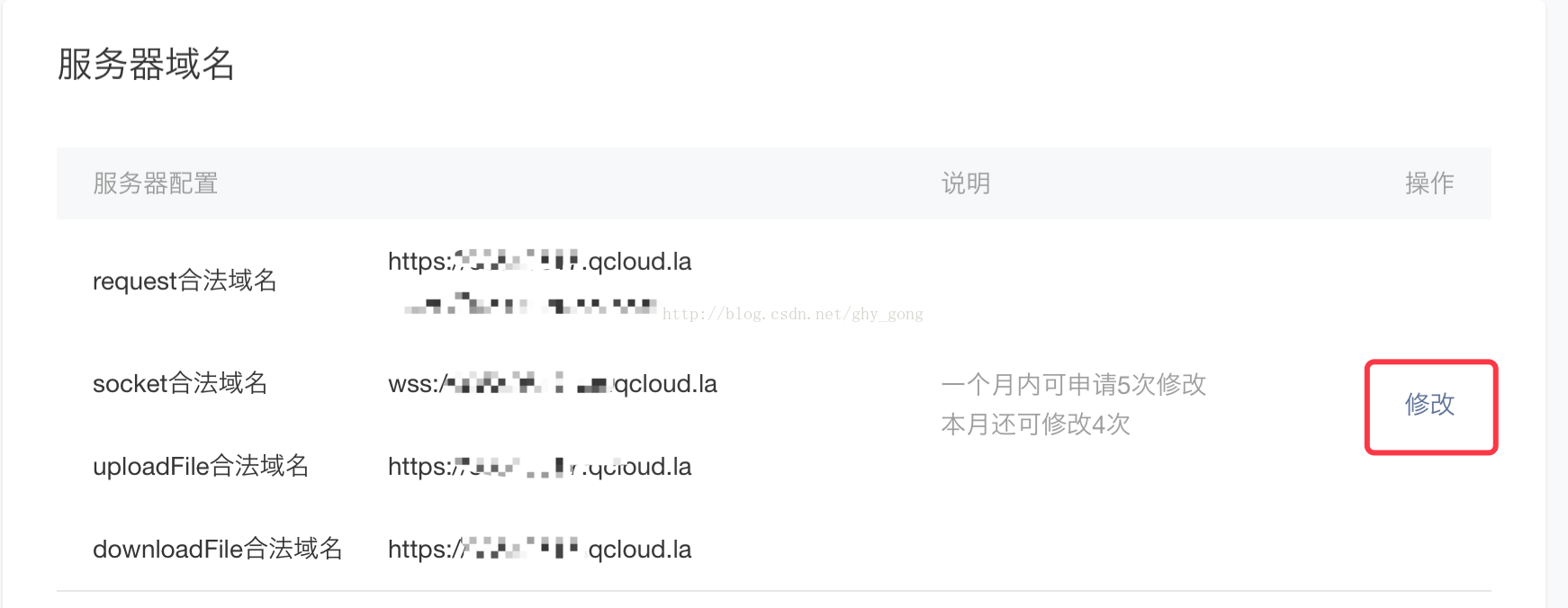 点击修改可前往腾讯云购买,购买后会自动配置。
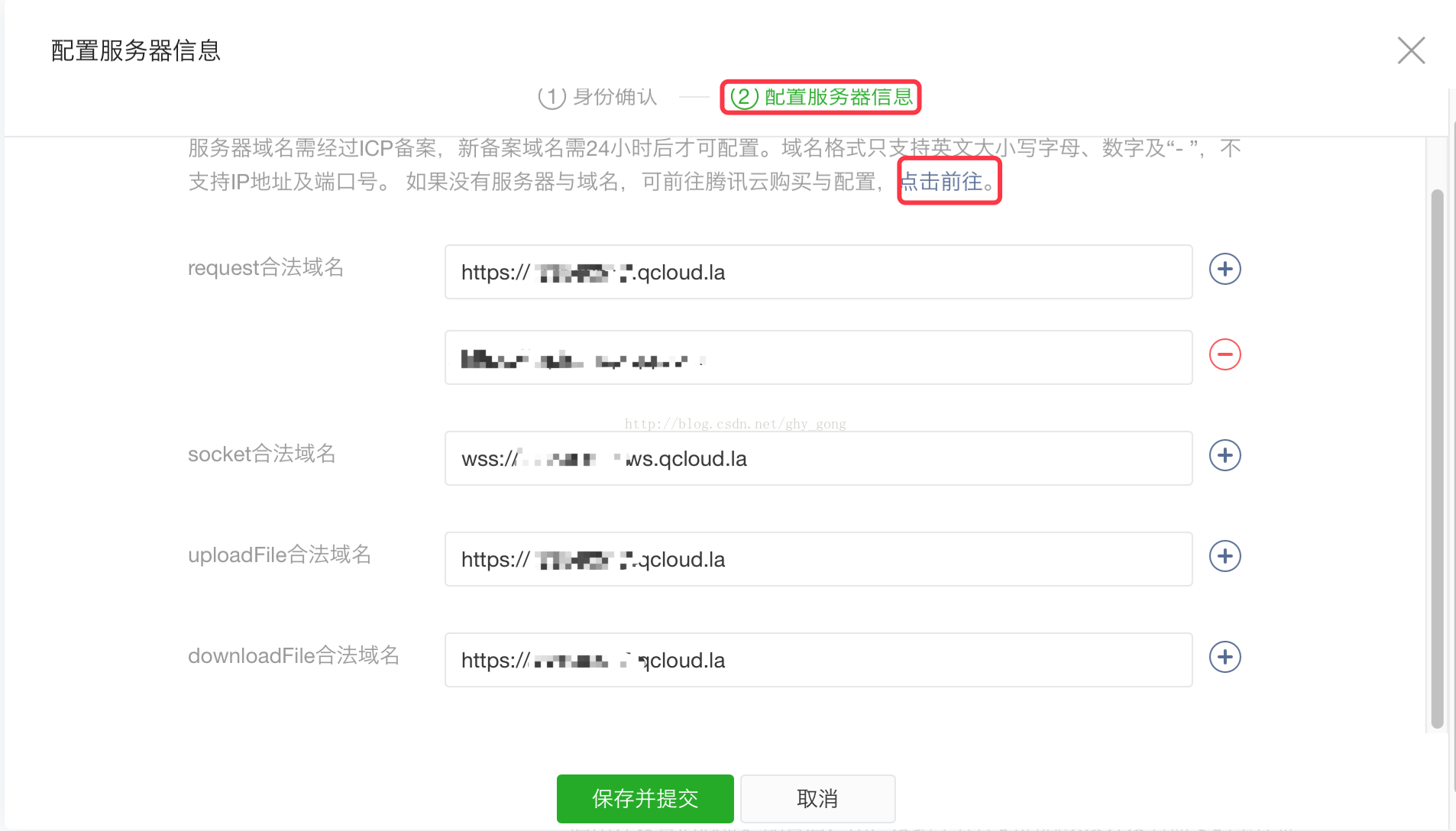 2、微信小程序开发下载开发者工具
 下载安装后为

 扫一扫登录后,选择“本地小程序项目”,选择新建项目或打开已有项目
 创建后会有如下几种文件,.js、.wxml、.wxss、.json文件
 其中index.wxml为首页面
 index.wxml代码如下:view class="container" view bindtap="bindViewTap" class="userinfo" image class="userinfo-avatar" src="{{userInfo.avatarUrl}}" background-size="cover"/image text class="userinfo-nickname"{{userInfo.nickName}}/text /view view class="usermotto" text class="user-motto"{{motto}}/text /view/viewindex.js代码如下://获取应用实例var app = getApp()Page({ data: { motto: '你好小程序', userInfo: {} }, //事件处理函数 bindViewTap: function() { wx.navigateTo({ url: '../logs/logs' }) }, onLoad: function () { console.log('onLoad') var that = this //调用应用实例的方法获取全局数据 app.getUserInfo(function(userInfo){ //更新数据 that.setData({ userInfo:userInfo }) }) }})index.wxss代码如下:.userinfo { display: flex; flex-direction: column; align-items: center;}.userinfo-avatar { width: 128rpx; height: 128rpx; margin: 20rpx; border-radius: 50%;}.userinfo-nickname { color: #aaa;}.usermotto { margin-top: 200px;}点击头像跳转到地理位置界面
 log.wxml代码如下:view class="wrapper" view class="page-body" view class="page-body-wrapper" form bindsubmit="openLocation" view class="page-body-form" text class="page-body-form-key"经度/text input class="page-body-form-value" type="text" value="{{location.longitude}}" name="longitude"/input text class="page-body-form-key"纬度/text input class="page-body-form-value" type="text" value="{{location.latitude}}" name="latitude"/input /view view class="page-body-buttons" button class="page-body-button" type="default" bindtap="getLocation"获取地理位置/button button class="page-body-button" type="default" formType="submit"查看地理位置(腾讯地图)/button /view /form /view /view/viewlog.js代码如下:var app = getApp()Page({ data: { //默认未获取地址 hasLocation: false }, //获取经纬度 getLocation: function (e) { console.log(e) var that = this wx.getLocation({ success: function (res) { console.log(res) that.setData({ hasLocation: true, location: { longitude: res.longitude, latitude: res.latitude } }) } }) }, //根据经纬度在地图上显示 openLocation: function (e) { var value = e.detail.value wx.openLocation({ longitude: Number(value.longitude), latitude: Number(value.latitude) }) }})log.wxss代码如下:.wrapper{ height: 100%; background:#fff;}.page-body-form-value{ font-size: 14px; color:darkturquoise; font-weight: bold; padding-left: 15px; border: 1px solid rgb(0, 0, 0); border-radius: 4px; height: 30px; line-height: 30px;}.page-body-form-key{ font-size:14px; padding: 10px; margin-top:15px; font-family: "Microsoft Yahei"; font-weight: bold; height: 30px; line-height: 30px;}.page-body-button{ margin-top:20px; line-height: 2; background-color: #ffffff;}log.json代码如下:{ "navigationBarTitleText": "地理位置"}点击“获取地理位置”界面,显示经纬度
 点击“查看地理位置”跳转腾讯地图界面
 3、小程序发布
 点击“上传”至体验版
本实例的域名在腾讯云购买点击修改可前往腾讯云购买,购买后会自动配置。2、微信小程序开发下载开发者工具下载安装后为扫一扫登录后,选择“本地小程序项目”,选择新建项目或打开已有项目创建后会有如下几种文件,.js、.wxml、.wxss、.json文件其中index.wxml为首页面index.wxml代码如下:view class="container" view bindtap="bindViewTap" class="userinfo" image class="userinfo-avatar" src="{{userInfo.avatarUrl}}" background-size="cover"/image text class="userinfo-nickname"{{userInfo.nickName}}/text /view view class="usermotto" text class="user-motto"{{motto}}/text /view/viewindex.js代码如下://获取应用实例var app = getApp()Page({ data: { motto: '你好小程序', userInfo: {} }, //事件处理函数 bindViewTap: function() { wx.navigateTo({ url: '../logs/logs' }) }, onLoad: function () { console.log('onLoad') var that = this //调用应用实例的方法获取全局数据 app.getUserInfo(function(userInfo){ //更新数据 that.setData({ userInfo:userInfo }) }) }})index.wxss代码如下:.userinfo { display: flex; flex-direction: column; align-items: center;}.userinfo-avatar { width: 128rpx; height: 128rpx; margin: 20rpx; border-radius: 50%;}.userinfo-nickname { color: #aaa;}.usermotto { margin-top: 200px;}点击头像跳转到地理位置界面log.wxml代码如下:view class="wrapper" view class="page-body" view class="page-body-wrapper" form bindsubmit="openLocation" view class="page-body-form" text class="page-body-form-key"经度/text input class="page-body-form-value" type="text" value="{{location.longitude}}" name="longitude"/input text class="page-body-form-key"纬度/text input class="page-body-form-value" type="text" value="{{location.latitude}}" name="latitude"/input /view view class="page-body-buttons" button class="page-body-button" type="default" bindtap="getLocation"获取地理位置/button button class="page-body-button" type="default" formType="submit"查看地理位置(腾讯地图)/button /view /form /view /view/viewlog.js代码如下:var app = getApp()Page({ data: { //默认未获取地址 hasLocation: false }, //获取经纬度 getLocation: function (e) { console.log(e) var that = this wx.getLocation({ success: function (res) { console.log(res) that.setData({ hasLocation: true, location: { longitude: res.longitude, latitude: res.latitude } }) } }) }, //根据经纬度在地图上显示 openLocation: function (e) { var value = e.detail.value wx.openLocation({ longitude: Number(value.longitude), latitude: Number(value.latitude) }) }})log.wxss代码如下:.wrapper{ height: 100%; background:#fff;}.page-body-form-value{ font-size: 14px; color:darkturquoise; font-weight: bold; padding-left: 15px; border: 1px solid rgb(0, 0, 0); border-radius: 4px; height: 30px; line-height: 30px;}.page-body-form-key{ font-size:14px; padding: 10px; margin-top:15px; font-family: "Microsoft Yahei"; font-weight: bold; height: 30px; line-height: 30px;}.page-body-button{ margin-top:20px; line-height: 2; background-color: #ffffff;}log.json代码如下:{ "navigationBarTitleText": "地理位置"}点击“获取地理位置”界面,显示经纬度点击“查看地理位置”跳转腾讯地图界面3、小程序发布点击“上传”至体验版声明:本站所有文章资源内容,如无特殊说明或标注,均为采集网络资源。如若本站内容侵犯了原著者的合法权益,可联系本站删除。








