
微信小程序系列——上传下载图片以及图片的展示
一、上传
wxml:
<button bindtap='upload'>上传文件</button>
js:
首先在data里添加全局变量images
data: { images: []},upload: function(){ wx.chooseImage({ count: 1,//数量为1个 sizeType: ['original', 'compressed'],//选择原图或压缩后的图片 sourceType: ['album', 'camera'],//选择访问相册、相机 success(res) { // tempFilePath可以作为img标签的src属性显示图片 const tempFilePaths = res.tempFilePaths wx.cloud.uploadFile({ cloudPath: new Date().getTime() + '.png', filePath: tempFilePaths[0], // 文件路径是数组,取第一个 success: res => { // get resource ID db.collection('images').add({ data:{ fileID: res.fileID } }).then(res => { console.log(res); }).catch(err => { console.log(err) }) }, fail: err => { // handle error } }) } })},二、下载
wxml:
<block wx:for='{{images}}'> <image src='{{item.fileID}}'></image> <button size='mini' data-fileid='{{item.fileID}}' bindtap='downloadFile'>文件下载</button></block>js:
downloadFile: function(e){ wx.cloud.downloadFile({ fileID: e.target.dataset.fileid, }).then(res => { // get temp file path //保存图片到手机相册 wx.saveImageToPhotosAlbum({ filePath: res.tempFilePath, success(res) { wx.showToast({ title: '保存成功', }) } }) }).catch(error => { // handle error })},三、展示图片
云数据库
创建一个集合,名字为:images
wxml:
<button bindtap='getFile'>文件展示</button><block wx:for='{{images}}'> <image src='{{item.fileID}}'></image></block>js:
getFile: function(){ //使用云函数获取openid wx.cloud.callFunction({ name: 'login' }).then(res=>{ db.collection('images').where({ _openid: res.result.openid }).get().then(res2=>{ console.log(res2); this.setData({ images: res2.data }) }) })},四、体验小程序


OK, GAME OVER!
更多内容,请关注公众号:程序员高手之路
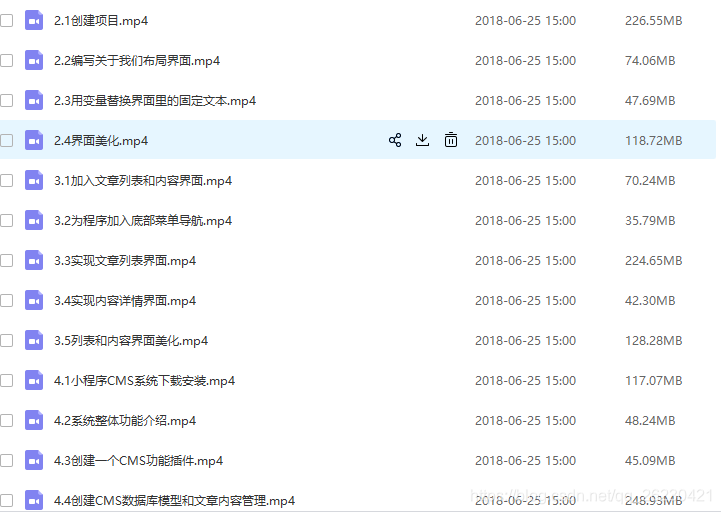
在公众号回复:小程序资源 即可免费获取以下微信小程序视频教程!

声明:本站所有文章资源内容,如无特殊说明或标注,均为采集网络资源。如若本站内容侵犯了原著者的合法权益,可联系本站删除。








