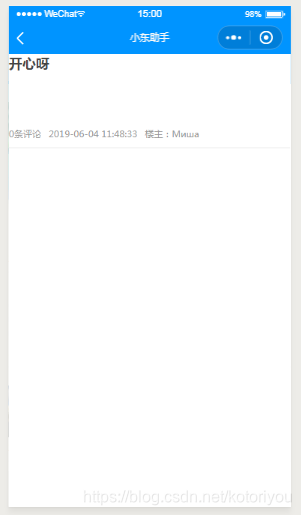
写论坛不难,重点是各页面之间的信息传递!

先放成品图,虽然有点单调。。。。但是麻雀虽小五脏俱全!
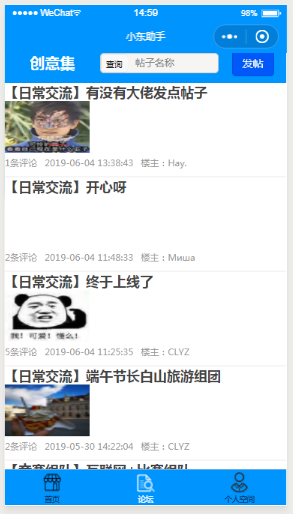
小程序
论坛功能:

1. 发帖(带图片)
2. 浏览各帖
3. 评论
4. 搜素帖子
5. 作者删自己的贴

以上是论坛必备的功能,缺哪个都不完整哦~

贴心代码详解(四)会讲搜索部分

小程序
查询结果:
小程序
js

// pages/find/find.jsvar app = getApp();Page({      /**   * 页面的初始数据   */  data: {    keyword:""  },  /**   * 生命周期函数--监听页面加载   */  onLoad: function (options) {    console.log(options.name)    var that=this    wx.request({             url: app.globalData.url+'community/search',        data:{        keyword:options.find      },        method: 'GET',        header: {        'content-type': 'application/json'      },      success:function(res) {        that.setData(        {          list: res.data.data        })                 },        fail:function(res){            console.log('submit fail');        }    })   },  /**   * 生命周期函数--监听页面初次渲染完成   */  onReady: function () {  },  /**   * 生命周期函数--监听页面显示   */  onShow: function () {  },  /**   * 生命周期函数--监听页面隐藏   */  onHide: function () {  },  /**   * 生命周期函数--监听页面卸载   */  onUnload: function () {  },  /**   * 页面相关事件处理函数--监听用户下拉动作   */  onPullDownRefresh: function () {  },  /**   * 页面上拉触底事件的处理函数   */  onReachBottom: function () {  },  /**   * 用户点击右上角分享   */  onShareAppMessage: function () {  }})

wxml

<view wx:for="{{list}}" wx:key="list"><navigator url="../detail/detail?id={{item.id}}" open-type="navigate" >  <view class="title">{{item.title}}</view>  <view class="pic">  <image style="width:30%;height:69px;" src="{{item.pic}}"/>  <view class="info">    <view class="desc">       <text>{{item.viewsNumber}}条评论</text>       <text>{{item.time}}</text>       <text>楼主:{{item.writer}}</text>    <view class="opr">    </view>  </view>  </view></view><view class="hr"></view></navigator></view>

这个搜索页面还是非常简单的,比前几个评论发帖什么的都容易,仔细看看一定能看懂的,这个页面甚至没用到iview weapp组件,大家可以对比前几篇学习。

TAG标签: 微信小程序微信小程序论坛

http://www.xiaochengxub.com/read-107455.html