
解决微信小程序登录与发布的一些问题
解决微信小程序的问题
图片在电脑上显示但在手机上却无法显示的问题
要使用的是本地图片,不想把图片上传到网络再通过https的方式解决,解决方法如下:
1.image src中的图片地址对英文字母大小写敏感,必须确认大小写对得上;
2.图片大小问题。本地图片要小于10KB才能顺利在真机上显示。
为什么图片只在本地调试的时候显示,手机预览和发布后 图片都不显示了!
微信小程序中,图片名不能出现中文,图片路径不能出现中文。
之前用户未授权过时,调用wx.getUserInfo会调出授权框;但现在在用户未授权过时调用该接口,会直接走fail方法。
要使用上述button来请求用户授权。
<button open-type="getUserInfo"></button><button wx:if="{{canIUse}}" open-type="getUserInfo" bindgetuserinfo="bindGetUserInfo">授权登录</button><view wx:else>请升级微信版本</view>index.jsPage({ data: { //判断小程序的API,回调,参数,组件等是否在当前版本可用。 canIUse: wx.canIUse('button.open-type.getUserInfo') }, onLoad: function() { // 查看是否授权 wx.getSetting({ success: function(res){ if (res.authSetting['scope.userInfo']) { wx.getUserInfo({ success: function(res) { console.log(res.userInfo) //用户已经授权过 } }) } } }) }, bindGetUserInfo: function(e) { console.log(e.detail.userInfo) if (e.detail.userInfo){ //用户按了允许授权按钮 } else { //用户按了拒绝按钮 } }})官方宣布,如果提审的小程序出现「启动即要求授权」和「强制要求授权」的情况,将会无法通过审核。
button 组件的 open-type 属性赋予了新的有效值 getUserInfo
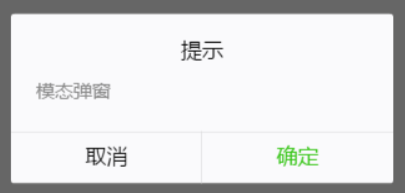
// 加载微信用户信息 // wx.getUserInfo({ // success: res => { // console.log("wx获取 用户信息", res.userInfo); // wx.setStorageSync("avatarUrl", res.userInfo.avatarUrl); // wx.setStorageSync("nickName", res.userInfo.nickName); // } // }); wx.request({ url: 'http://', method: 'POST', header: { Authorization: "Basic ", 'Content-Type': 'application/x-www-form-urlencoded', // 默认值 }, data: { mobile: 'w@' + res.code, grant_type: 'mobile', }, success: function(res) { console.log("button 成功", res.data); console.log("button token 成功", res.data.access_token); wx.setStorageSync("token", res.data.access_token); wx.showModal({ title: '提示', content: '模态弹窗', success: function(res) { if (res.confirm) { console.log('用户点击确定') } else { console.log('用户点击取消') } } })onLoad: function () { var that = this; if (app.globalData.userInfo) { this.setData({ userInfo: app.globalData.userInfo }) } else if (this.data.canIUse) { // 由于 getUserInfo 是网络请求,可能会在 Page.onLoad 之后才返回 // 所以此处加入 callback 以防止这种情况 app.userInfoReadyCallback = res => { this.setData({ userInfo: res.userInfo }) } } else { // 在没有 open-type=getUserInfo 版本的兼容处理 wx.getUserInfo({ success: res => { app.globalData.userInfo = res.userInfo this.setData({ userInfo: res.userInfo }) that.checkSettingStatu(); }, fail: function () { wx.showModal({ title: '用户未授权', content: '如需正常使用该小程序功能,请按确定并在授权管理中选中“用户信息”,然后点按确定。最后再重新进入小程序即可正常使用。', showCancel: false, success: function (resbtn) { if (resbtn.confirm) { wx.openSetting({ success: function success(resopen) { // 获取用户数据 that.checkSettingStatu(); } }); } } }) } }) } } // onload里面调用授权checkSettingStatu: function (cb) { var that = this; // 判断是否是第一次授权,非第一次授权且授权失败则进行提醒 wx.getSetting({ success: function success(res) { var authSetting = res.authSetting; if (isEmptyObject(authSetting)) { //第一次 } else { // 没有授权的提醒 if (authSetting['scope.userInfo'] === false) { wx.showModal({ title: '用户未授权', content: '如需正常使用该小程序功能,请按确定并在授权管理中选中“用户信息”,然后点按确定。最后再重新进入小程序即可正常使用。', showCancel: false, success: function (res) { if (res.confirm) { wx.openSetting({ success: function success(res) { console.log() } }); } } }) } else if (authSetting['scope.userInfo'] === true) { //该处用户获取用户的一些授权信息 if (that.data.userInfo) { var nickname = that.data.userInfo.nickName; var gender = that.data.userInfo.gender //性别 0:未知、1:男、2:女 if (gender == 1) { gender = "True" } else if (gender == 2) { gender = "False" } else { gender = "True" } } } } } }) } // 用于检测 当前授权的状态简单的获取信息用于显示
<open-data type="userNickName"></open-data><open-data type="userAvatarUrl"></open-data><button open-type="getUserInfo">获取用户信息
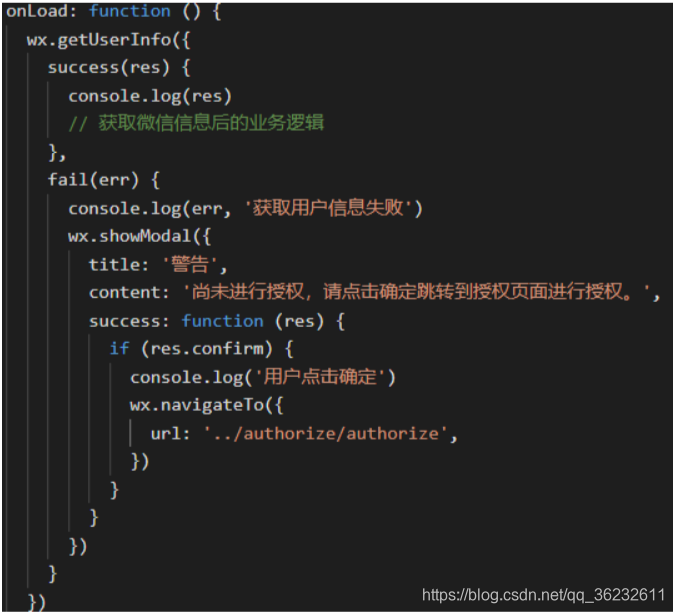
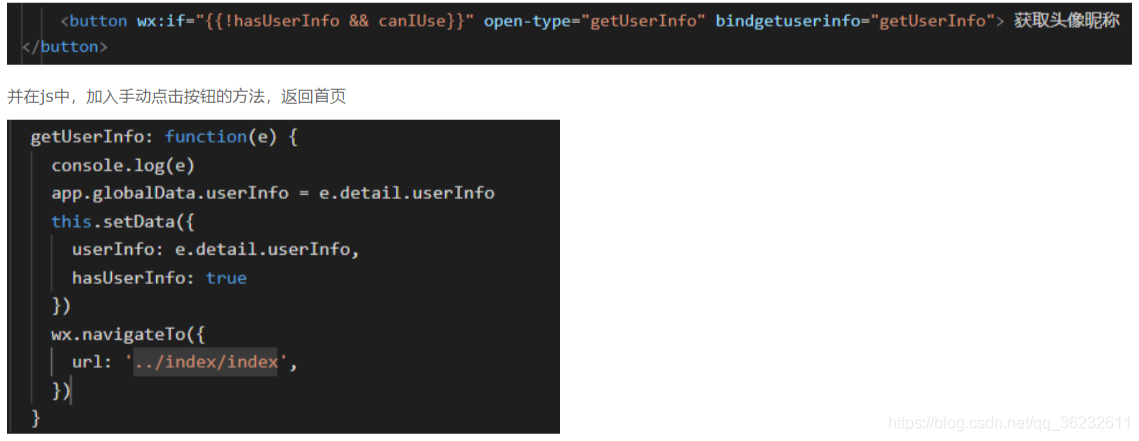
在页面加载后调用wx.getSetting方法可以获取当前用户的设置
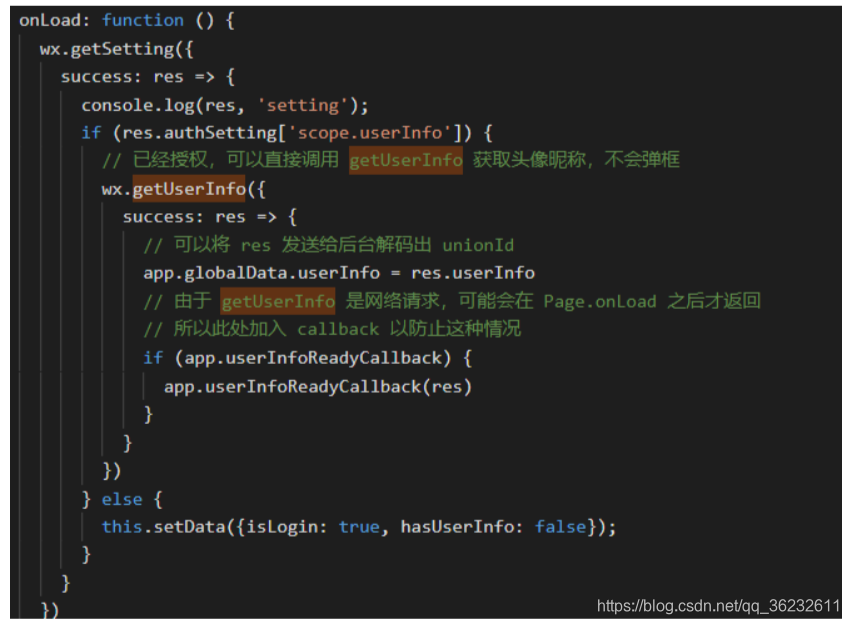
新的调整之后 这个wx.getUserInfo()便不再出现授权弹窗了,需要使用button做引导~
<button wx:if="{{canIUse}}" open-type="getUserInfo" bindgetuserinfo="bindGetUserInfo">授权登录</button><view wx:else>请升级微信版本</view>//jsPage({ data: { canIUse: wx.canIUse('button.open-type.getUserInfo') }, onLoad: function() { // 查看是否授权 wx.getSetting({ success: function(res){ if (res.authSetting['scope.userInfo']) { // 已经授权,可以直接调用 getUserInfo 获取头像昵称 wx.getUserInfo({ success: function(res) { console.log(res.userInfo) } }) } } }) }, bindGetUserInfo: function(e) { console.log(e.detail.userInfo) }})<!-- 如果只是展示用户头像昵称,可以使用 <open-data /> 组件 --><open-data type="userAvatarUrl"></open-data><open-data type="userNickName"></open-data>
声明:本站所有文章资源内容,如无特殊说明或标注,均为采集网络资源。如若本站内容侵犯了原著者的合法权益,可联系本站删除。








